
What's New
The headline improvements to RTObase, month by month, and what each one lets your RTO do.
Last updated 23 Oct 2026
This page carries the changes worth knowing about, written as what your RTO can now do. It is a summary, not a complete log.
Note
Every individual change, release by release, appears inside RTObase itself. When you open the dashboard after an update, What's new lists everything that shipped since your last visit, including the smaller fixes and refinements that do not appear here.
October 2026
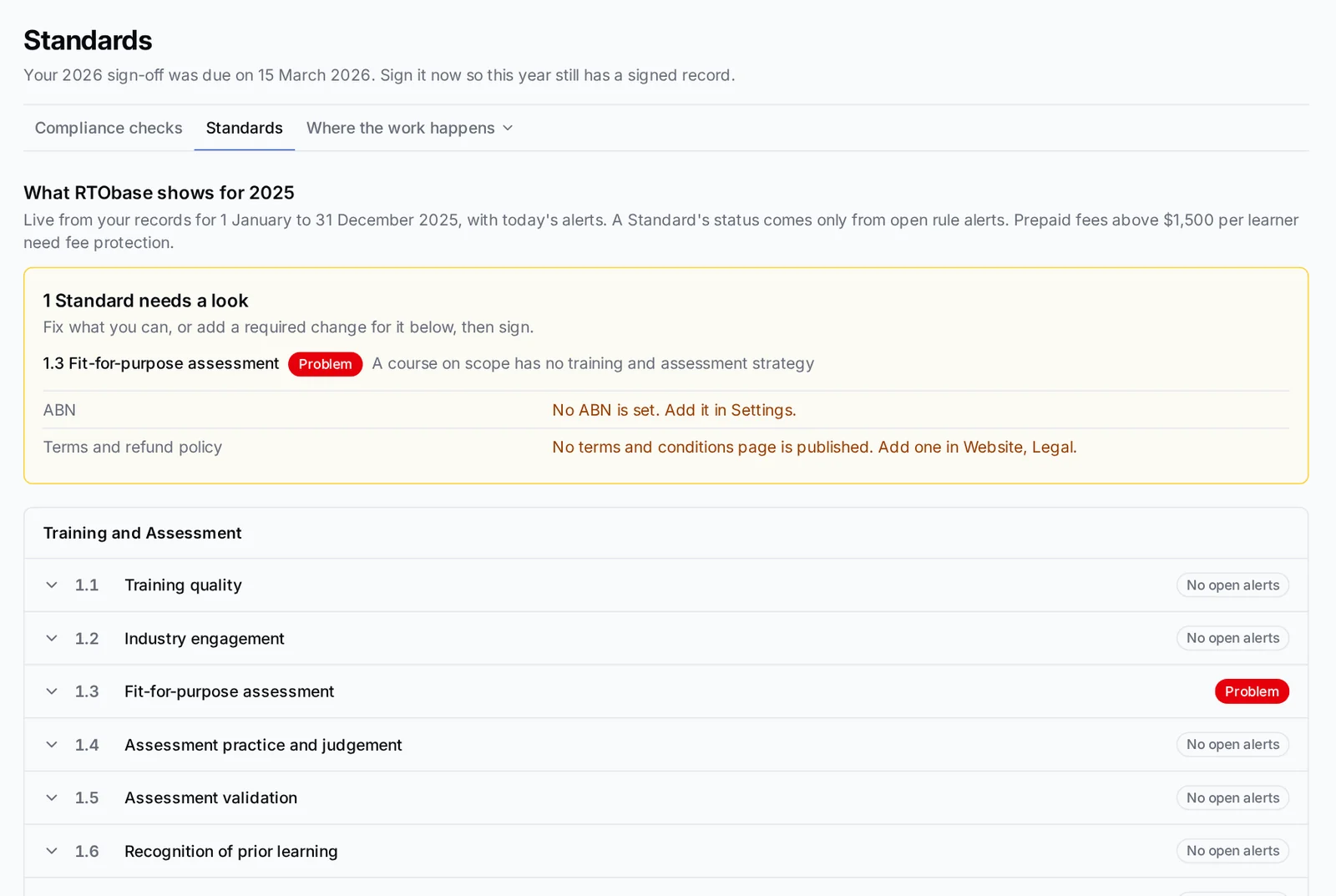
Sign off the Standards once a year and hand over one audit pack
Read one summary of what RTObase holds for each of the 23 Outcome Standards and the fee rules, add any required changes, and sign once. Signing freezes the summary, the audit pack is one ZIP with a readable PDF and the supporting files, and reminder emails tell admins when the sign-off opens and when it is due.
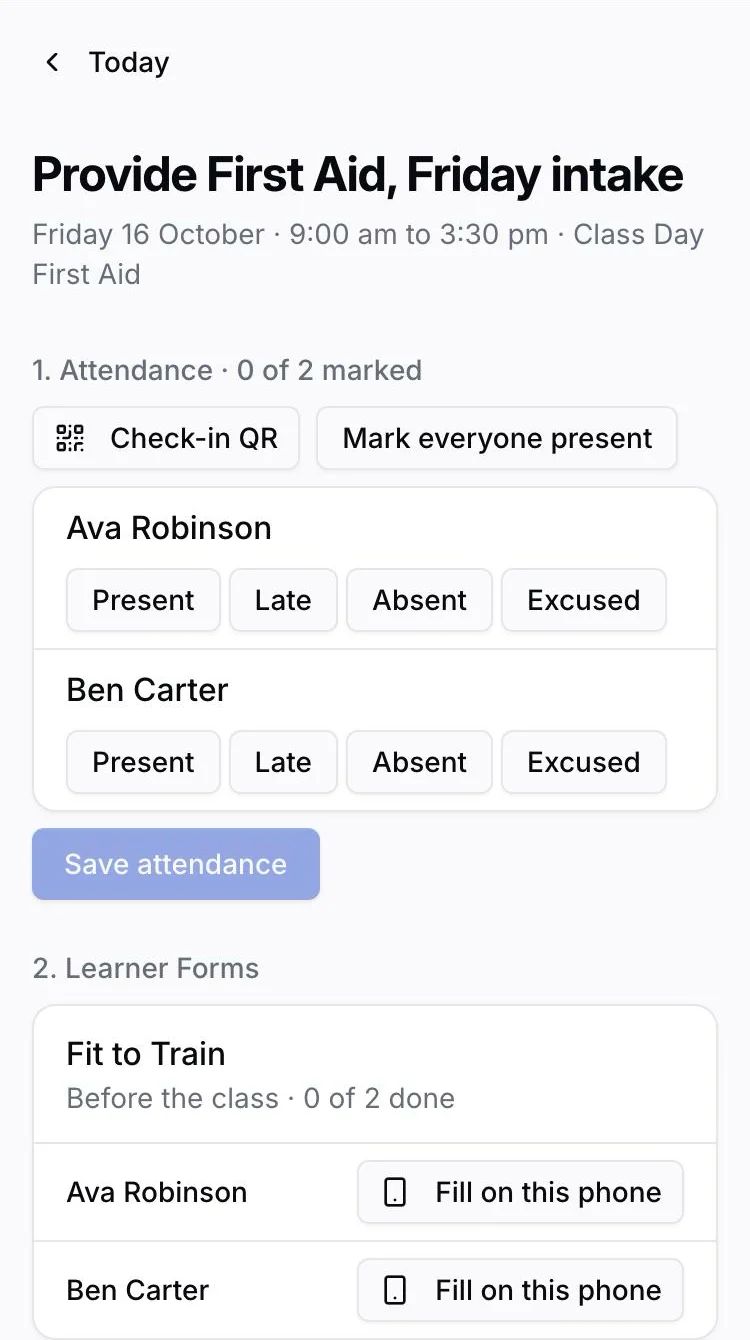
Give every trainer their own app
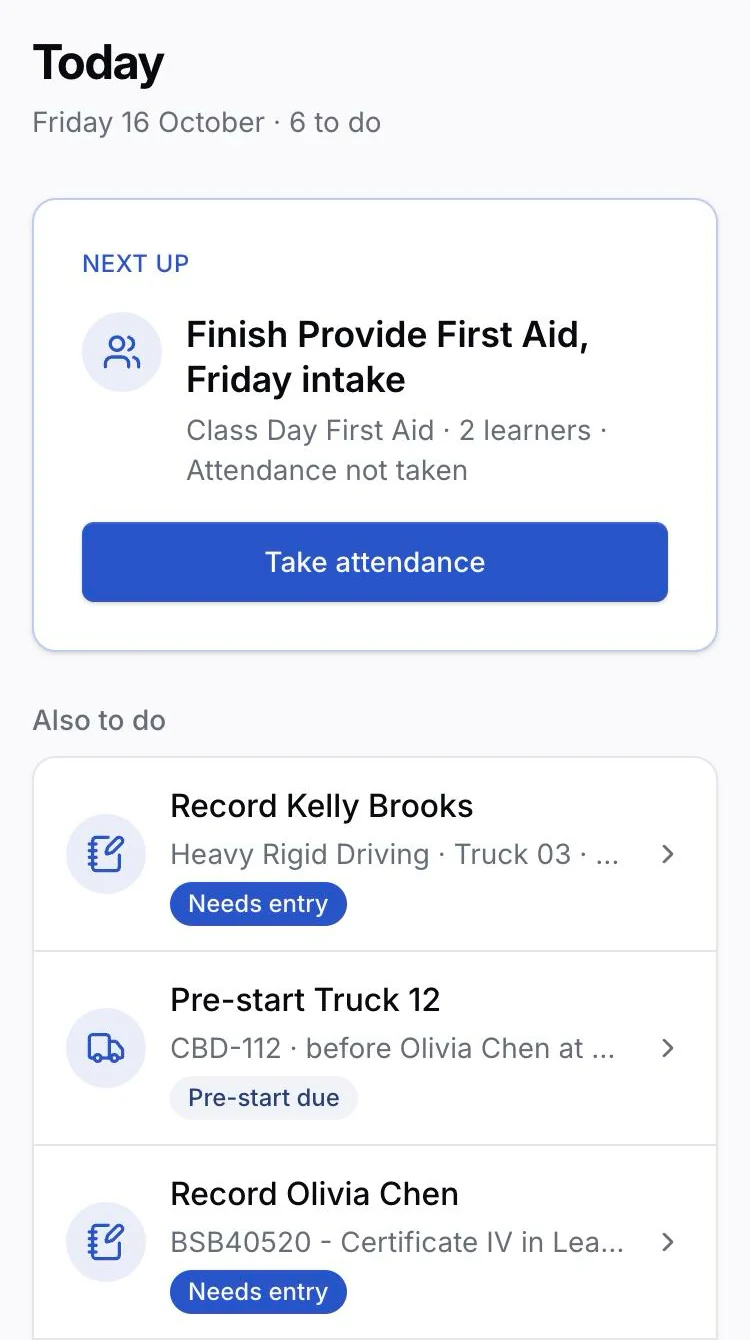
Trainers open Today, Calendar and Requests on their phone. They take the roll, show learners a check-in QR code, record lessons, unit results and practical observations, collect Forms and mark the work waiting for them. The office gets payroll timesheets, and employers see each employee's progress and the trainer's recommendation.
Let your AI assistant work in RTObase, within the access you set
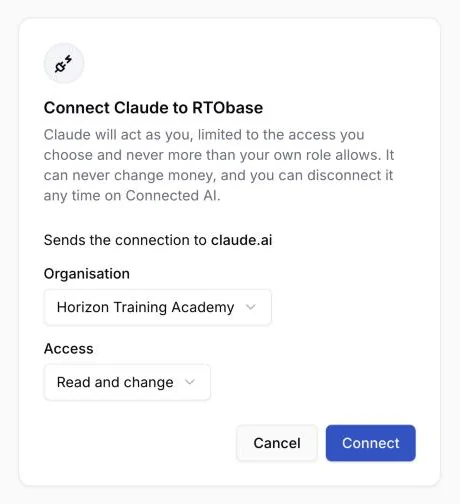
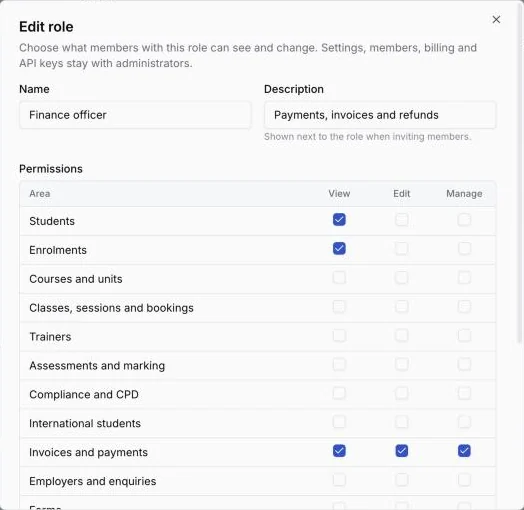
Connect Claude, ChatGPT or another assistant on any plan to find learners, check progress, enrol learners, manage classes, book and reschedule sessions, record attendance and resend Forms to their saved recipients. It acts as you, only with the access you choose, and can never change money. On Business and Custom plans, build your own roles with View, Edit or Manage for each area, from Finance to Assessments, and create API keys limited to the areas you pick.
Charge per session, get paid by bank transfer and see RTObase fees clearly
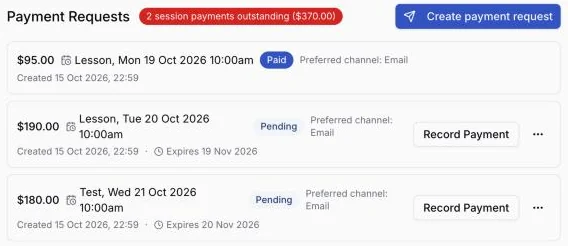
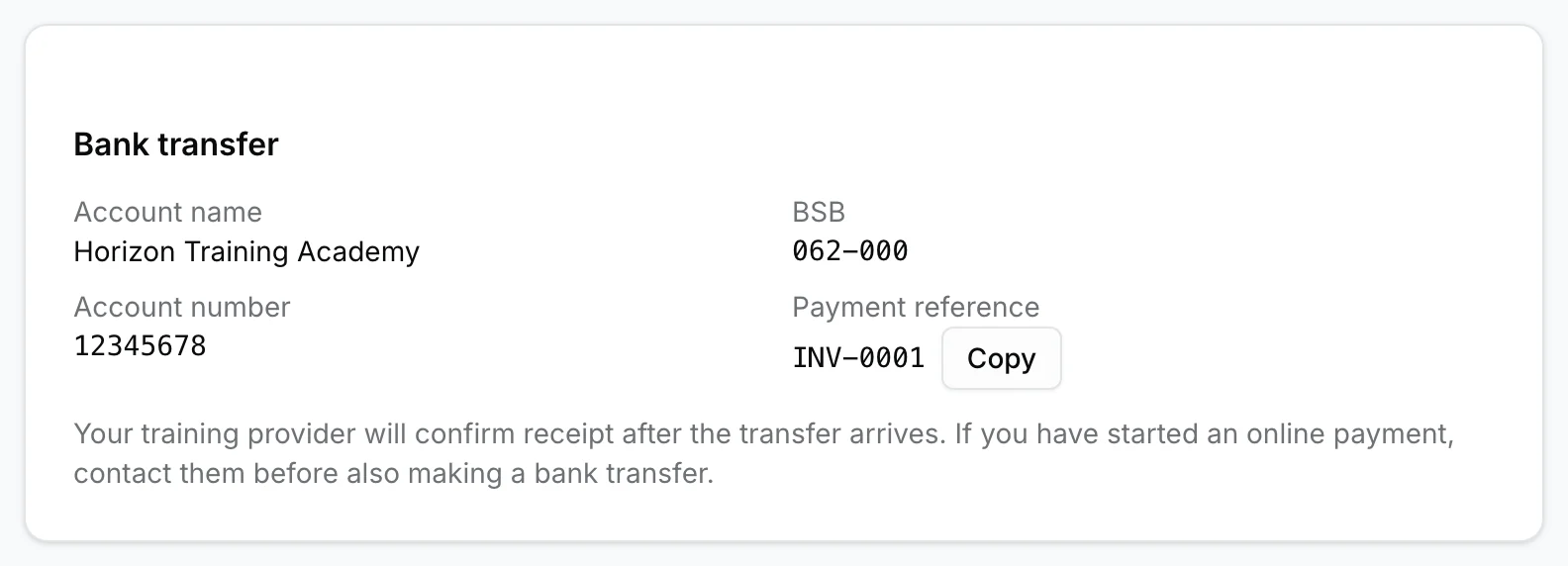
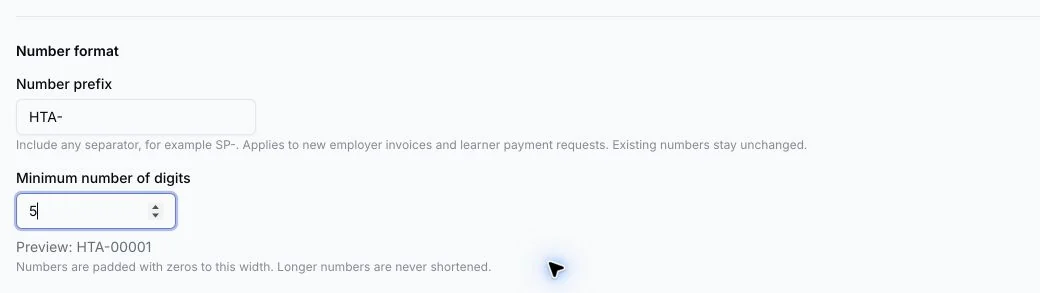
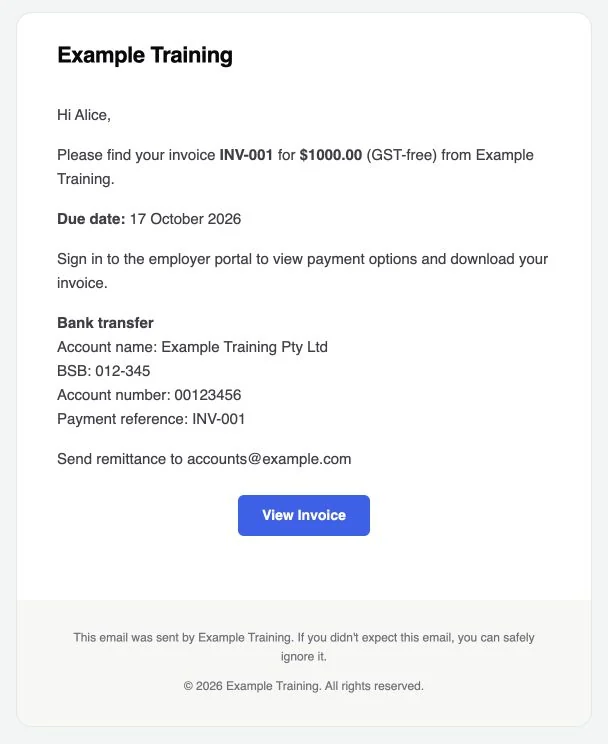
Each lesson, test and retest on a booking course gets its own payment request, and the enrolment shows what is still owed. Payment links open a printable page with your bank details and a short reference beside any online option. Startup platform fees follow the payments you record, up to $4 plus GST, on a monthly RTObase invoice.
Manage employer training from follow-up to payment
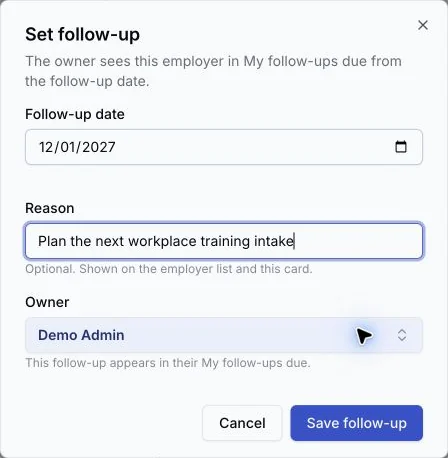
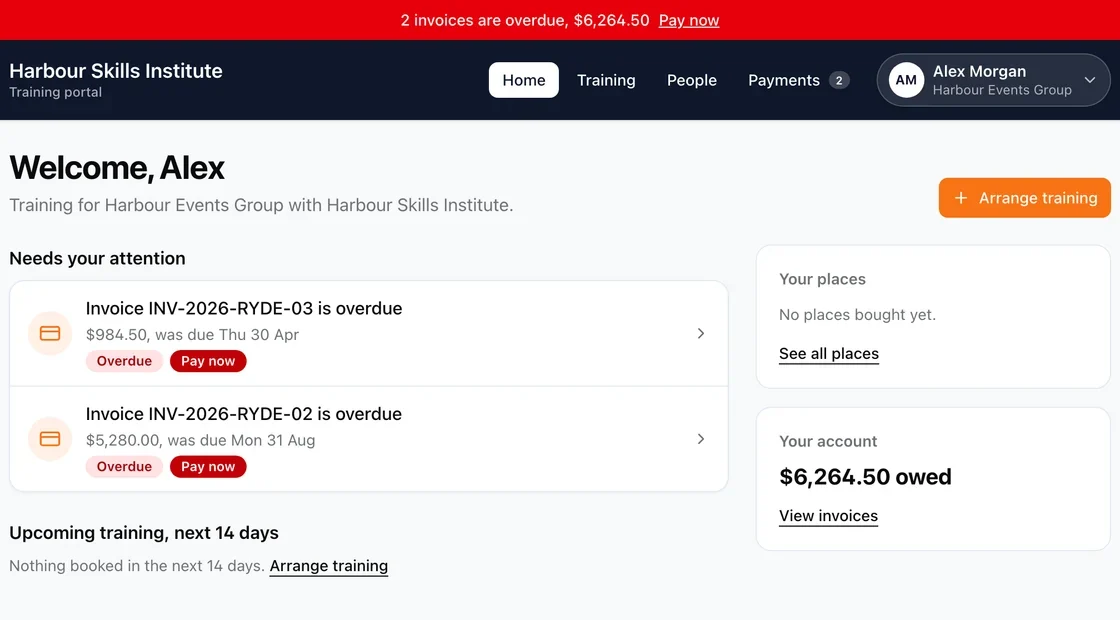
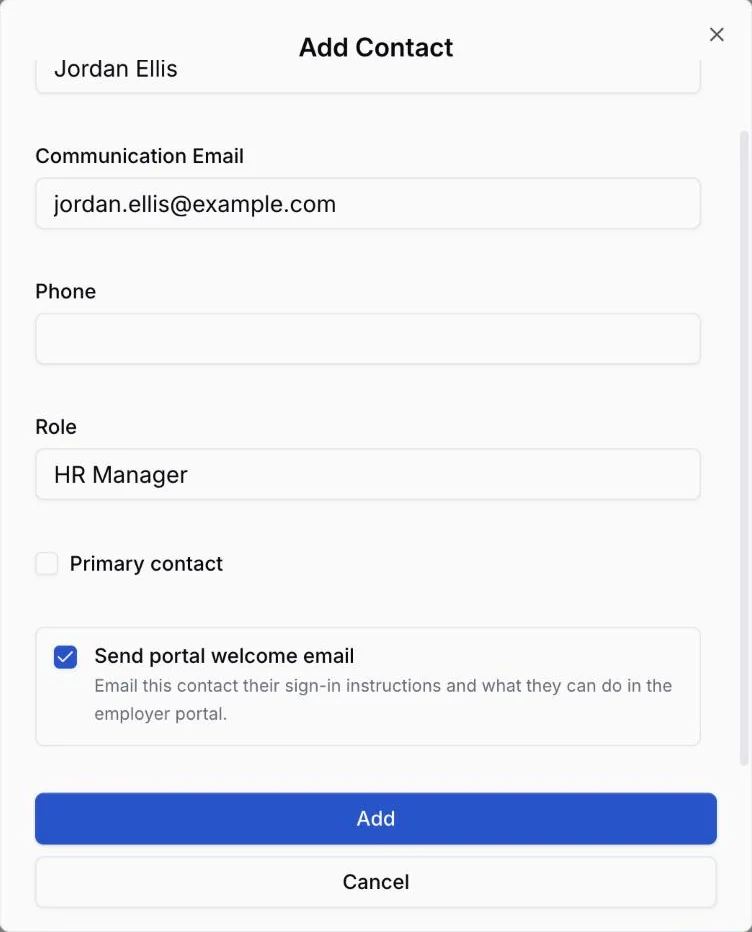
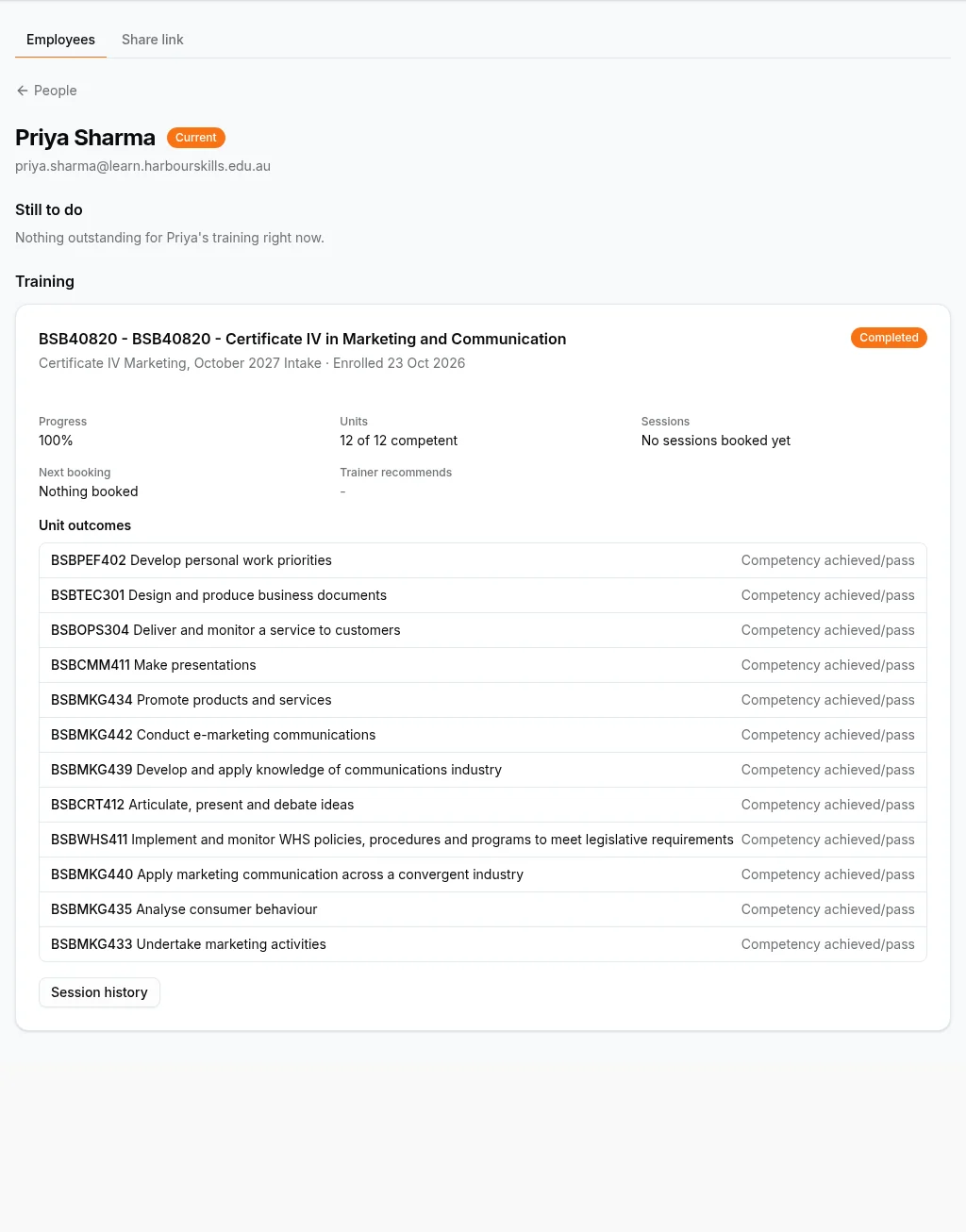
Give each employer an owner and next follow-up, let them buy course places before naming learners, and keep their people, training and payments together in the employer portal. Employers open it to a home page showing what needs their attention, upcoming training, their places and what they owe, then open each learner's requirements, progress, assessment outcomes, sessions and trainer recommendations. Take enquiries through a direct link or embedded form on your own website.
Save your work, then choose what to send
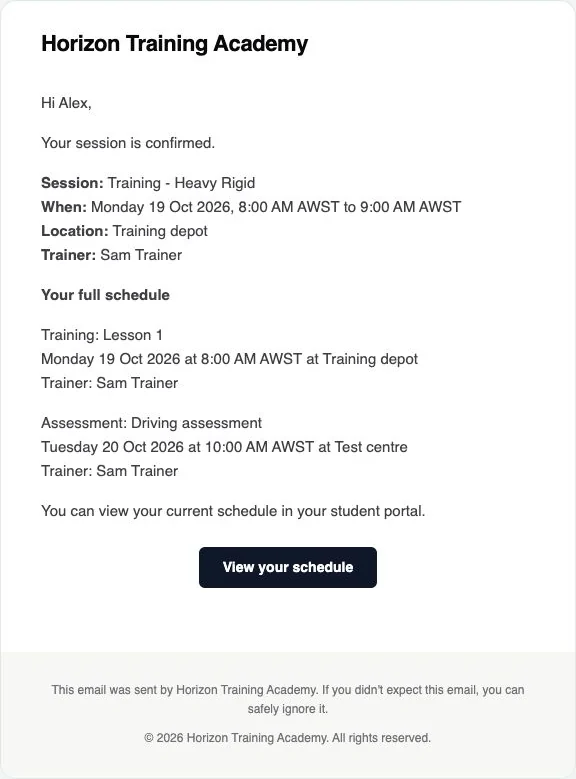
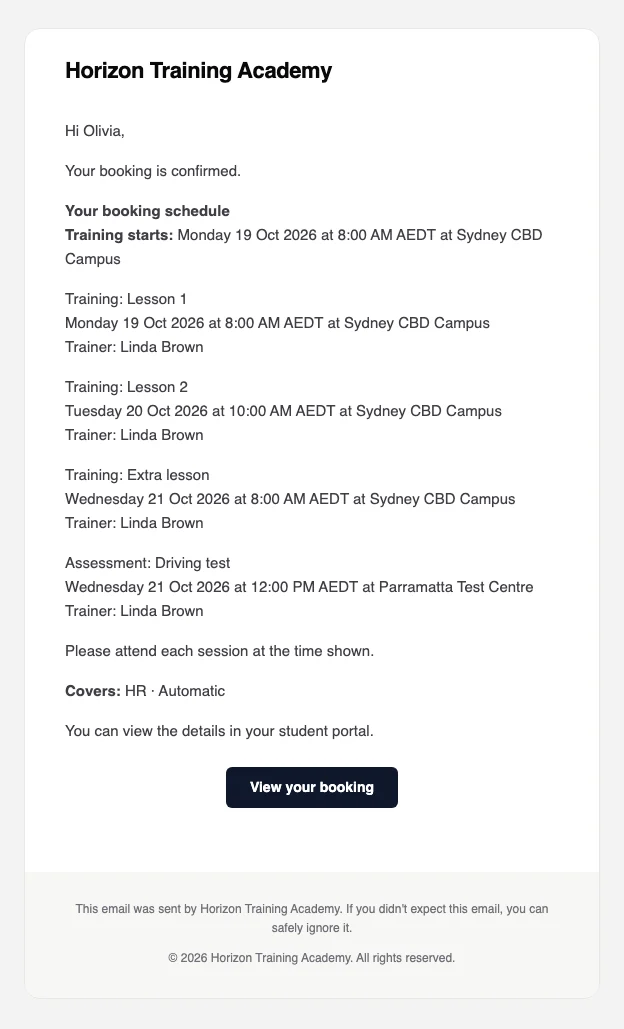
Review saved email, SMS and learner calendar changes separately, with nothing selected until you choose it. Customise an email for one send or edit its template for future messages, then check the preview before sending. Learners can receive invitations before completing their skills check, and schedules and messages use the training location's stored timezone.
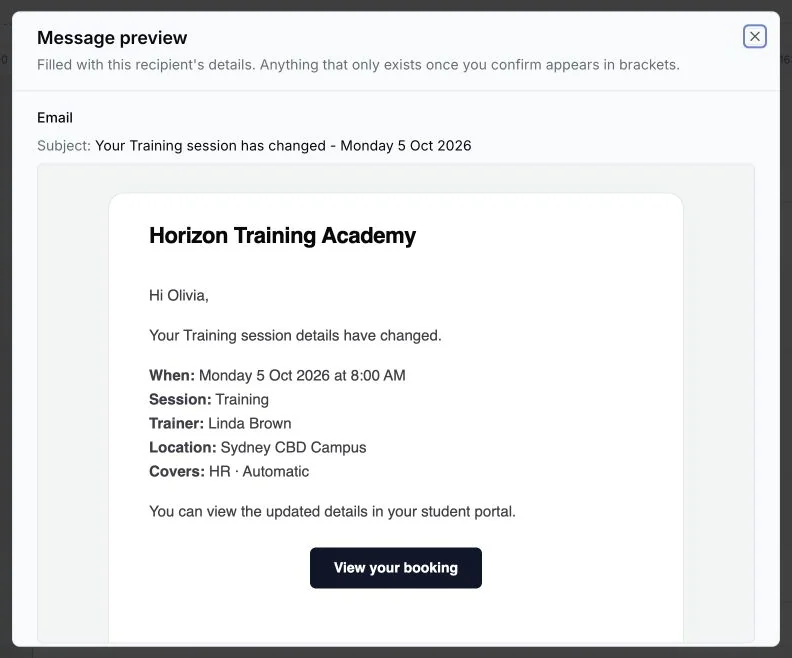
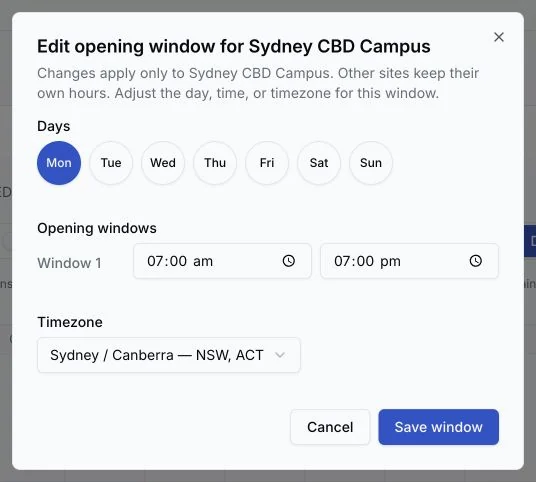
Set each site's hours and keep lunch inside a booking
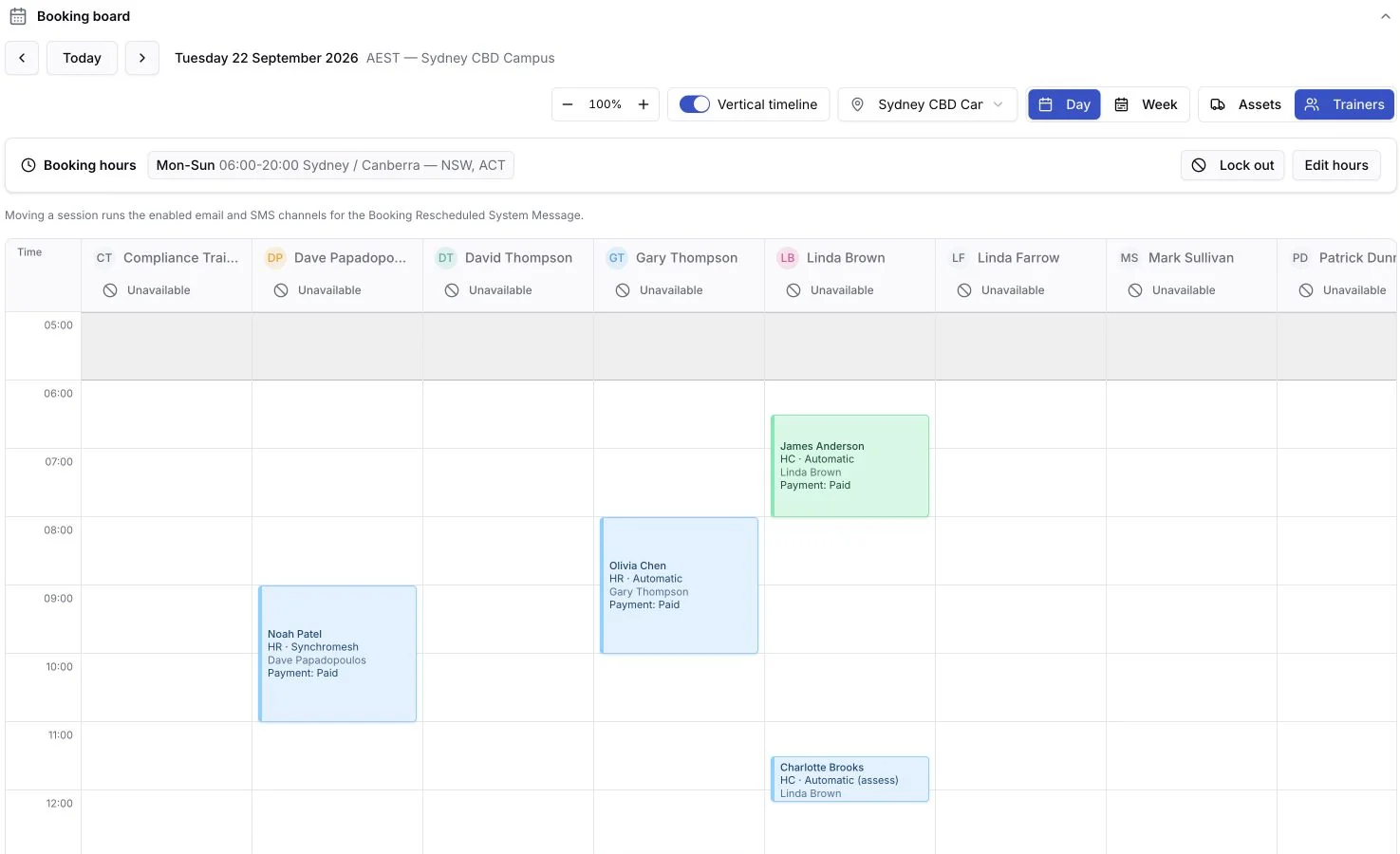
Keep organisation defaults or give a location its own booking windows and named breaks, and set trainer and assessor working hours before assigning bookings or holds. Enter a session's Start and End: training hours and unpaid hourly fees exclude breaks while the trainer and asset stay reserved, and staff and public booking boards show each break's label.
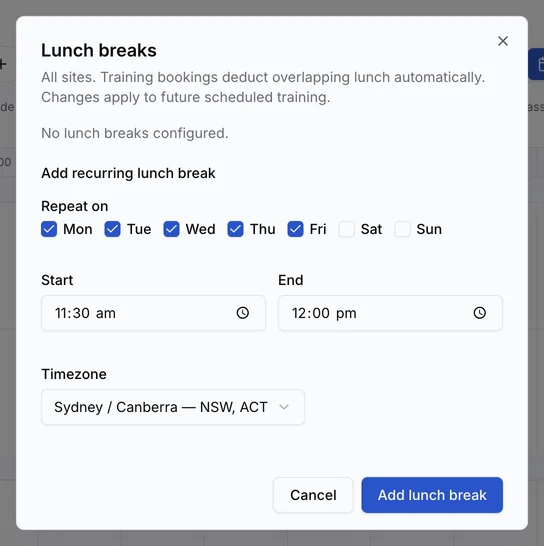
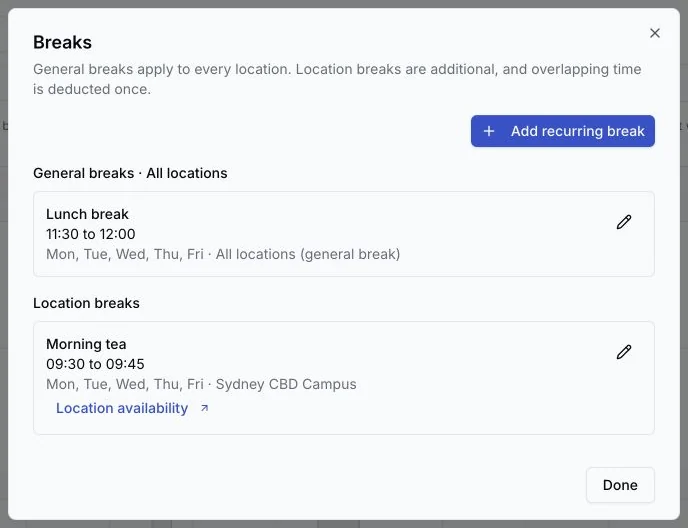
Run classes, bookings and maintenance from one board
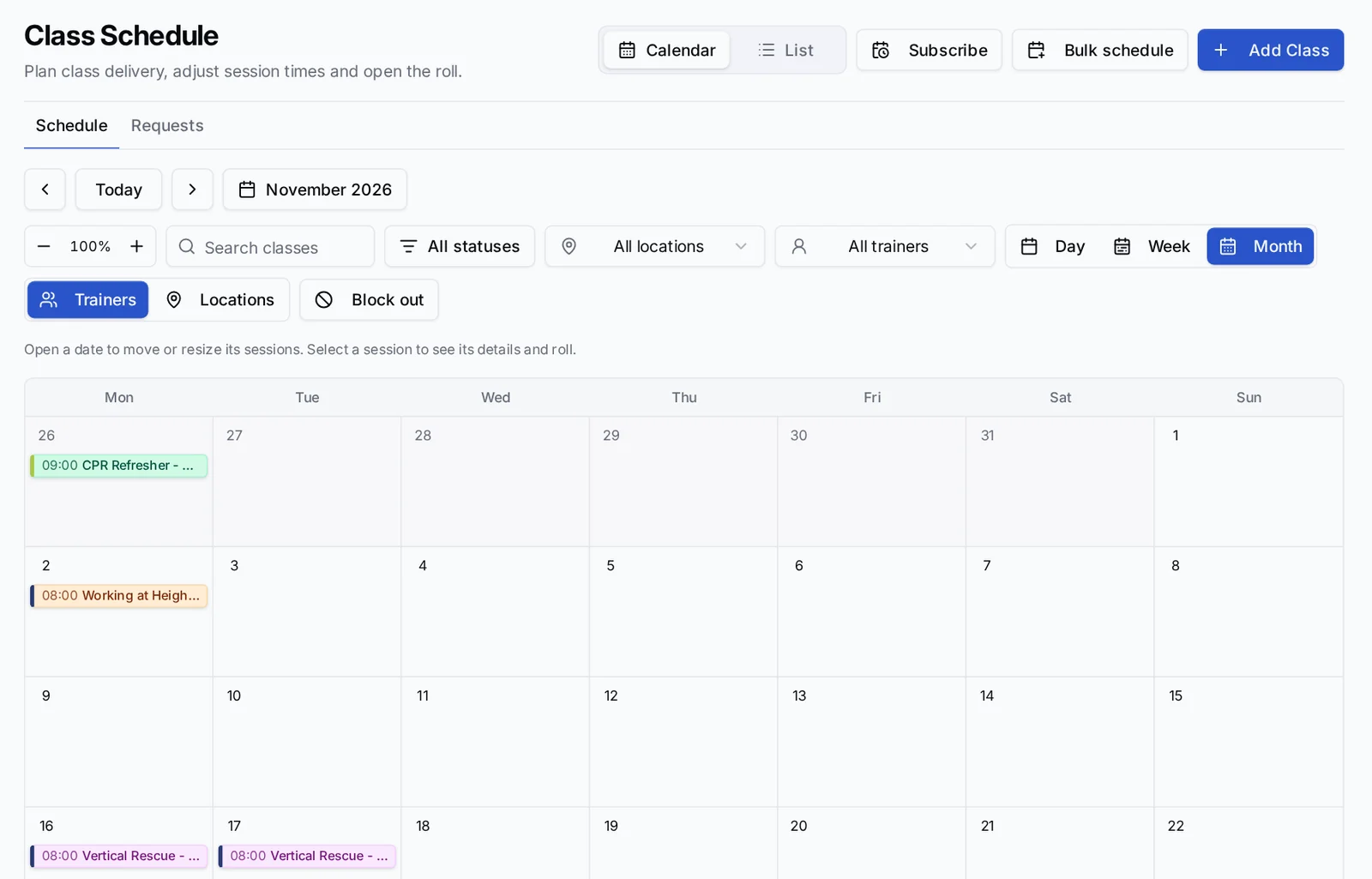
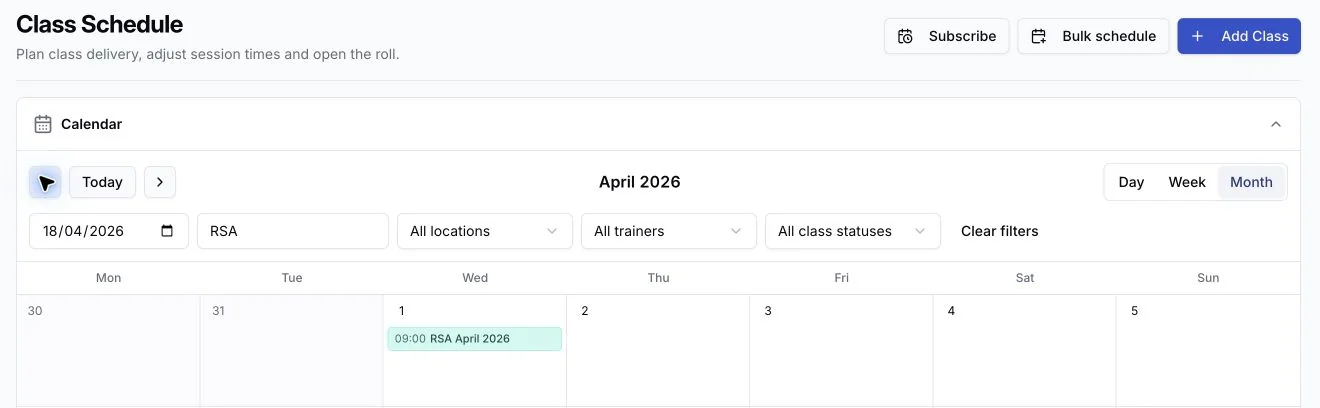
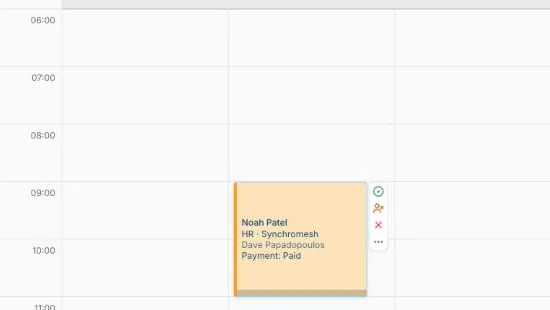
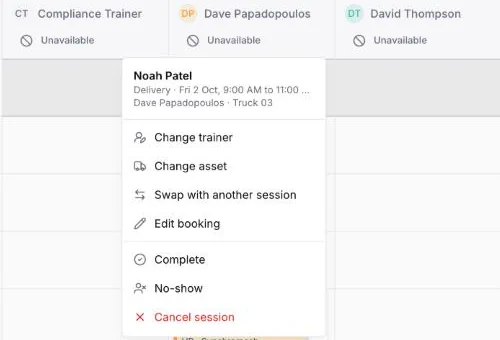
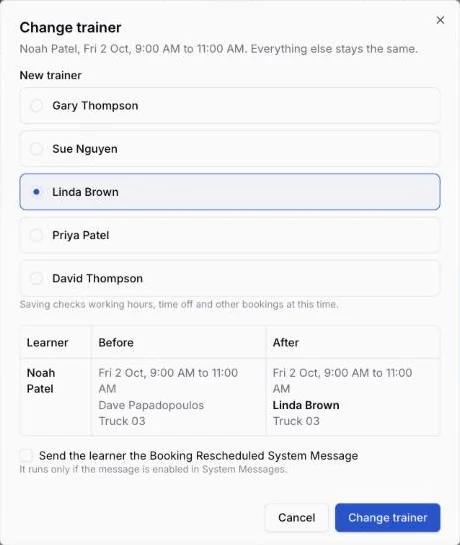
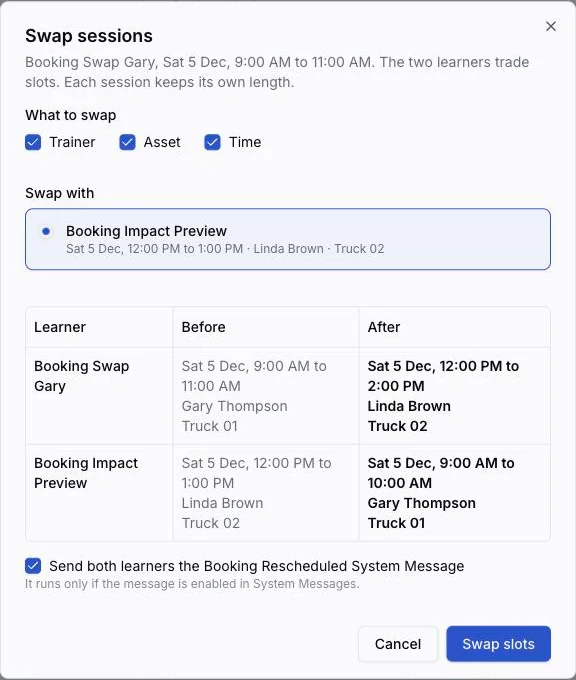
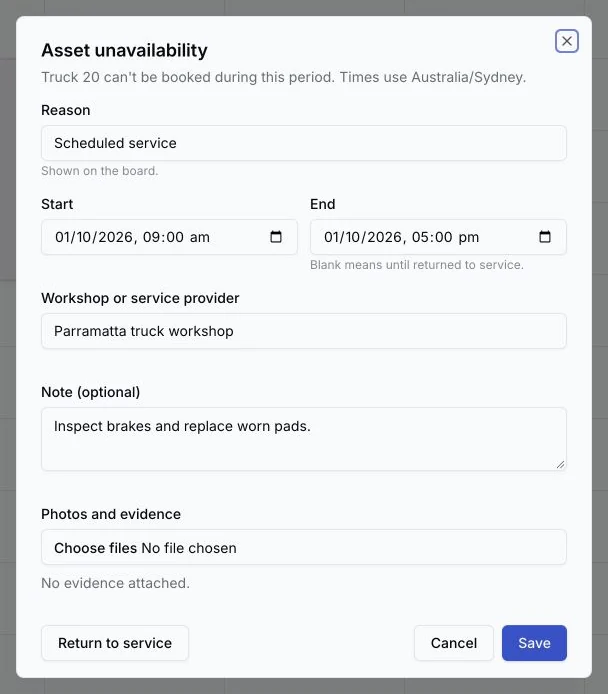
Complete, no-show or cancel a session from the buttons beside it, change its trainer or asset, or trade the trainer, asset or start time of two sessions in one step. Record workshop details and evidence against an unavailable period and return the asset to service from the same form. Public holidays and other full-day lock-outs grey out the whole day on the Week board. Class Schedule uses the same board with a Month view: move a class, block out a trainer, and give a class day to another trainer, who is checked for leave, credentials and clashes first.
Meet regulator and funder requirements with less checking by hand
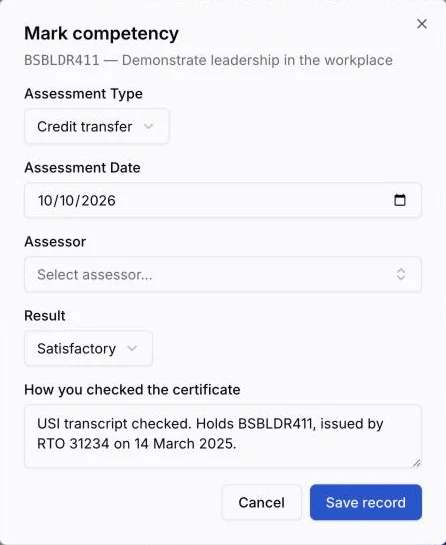
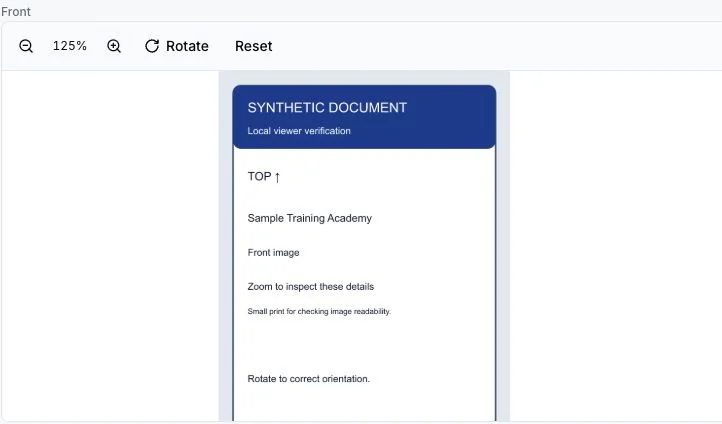
Every RPL judgement names its assessor and every credit transfer records how the certificate was checked. Zoom and rotate uploaded ID during review, and mark practice enrolments as Test enrolments so they stay out of platform fees and AVETMISS reporting. Funded training goes to the Queensland or New South Wales file with each submission and the authority's result recorded, and CRICOS reporting deadlines follow your delivery location's calendar.
Edit the whole course with its sequence beside you
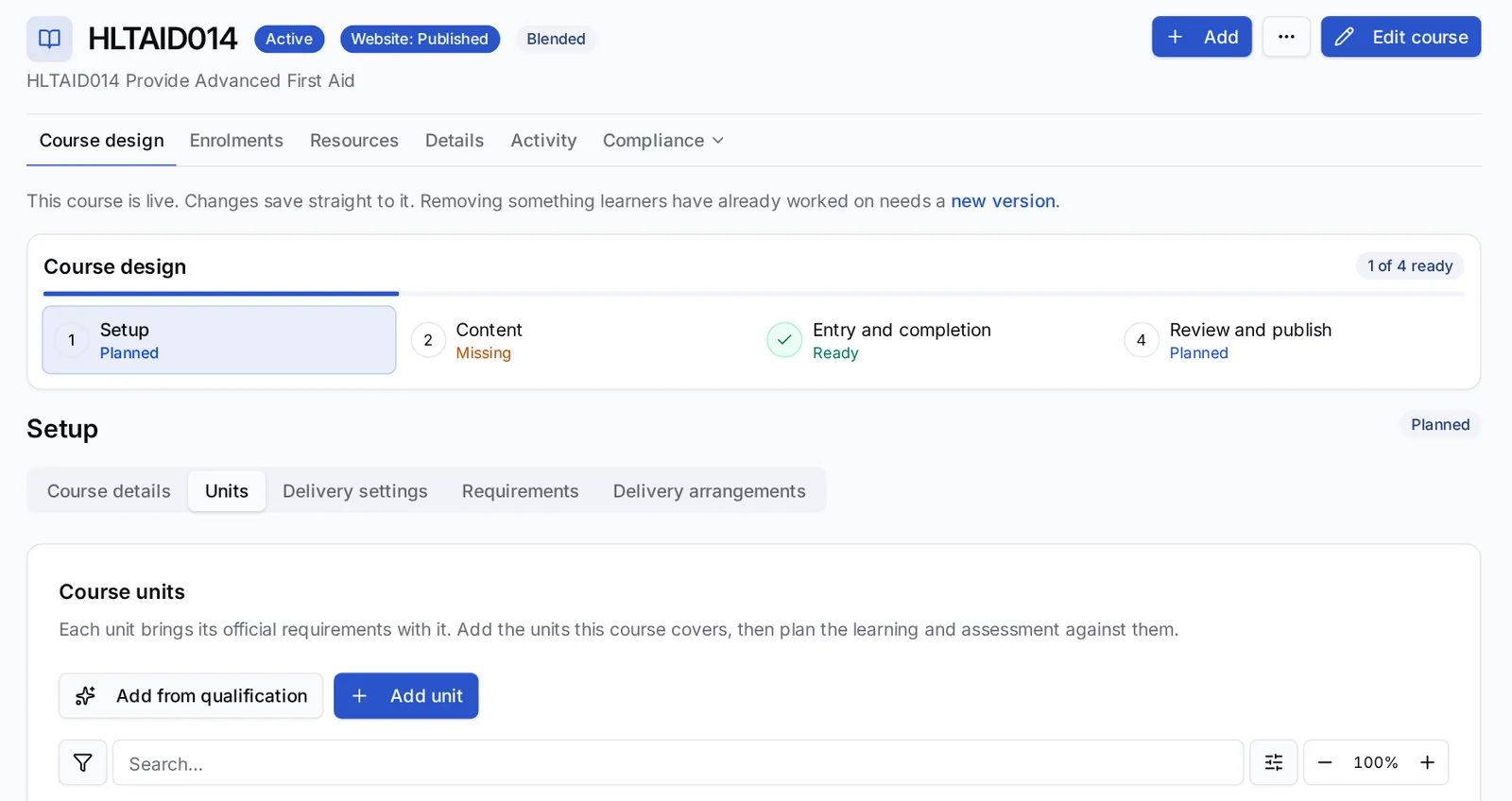
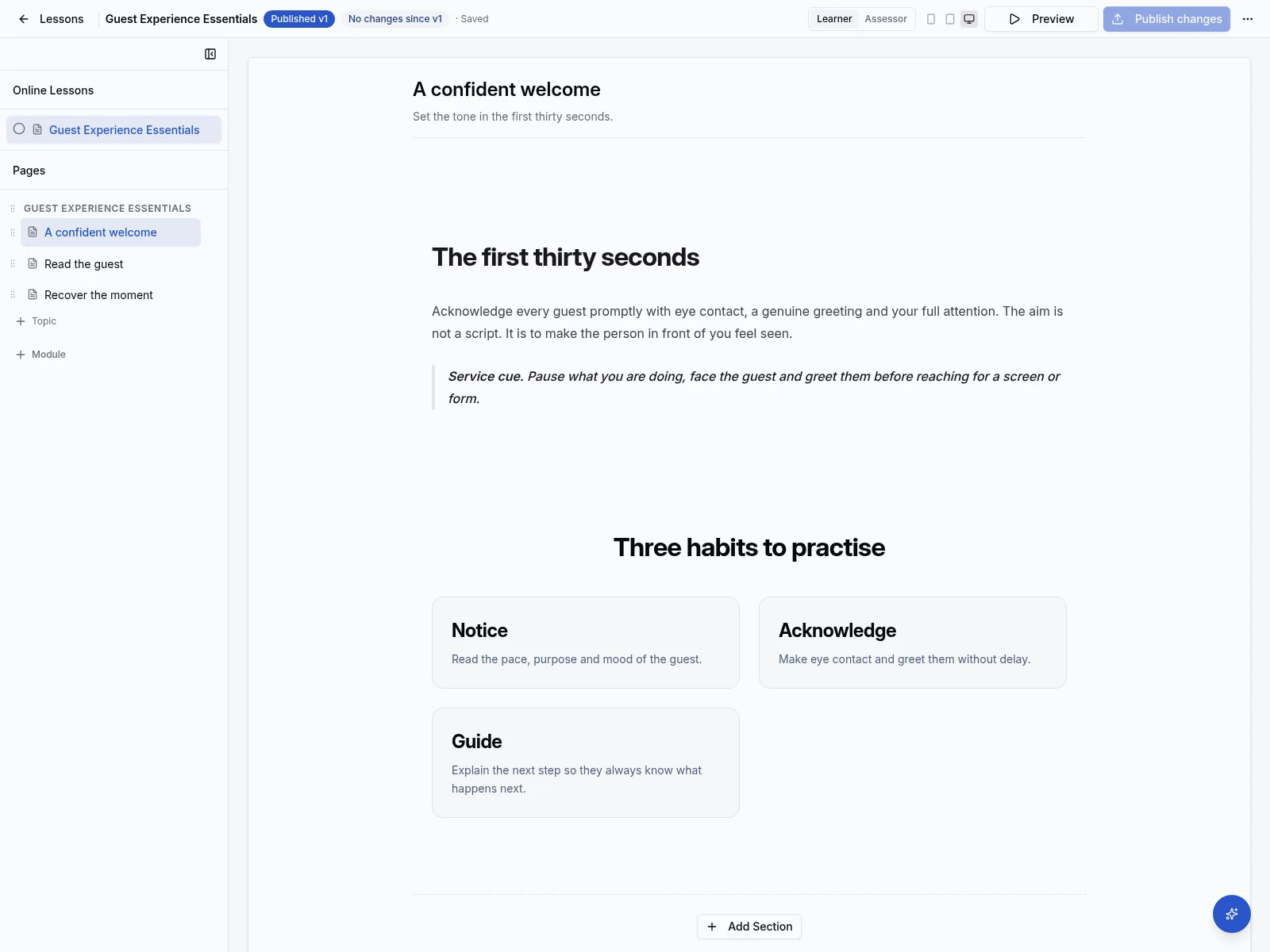
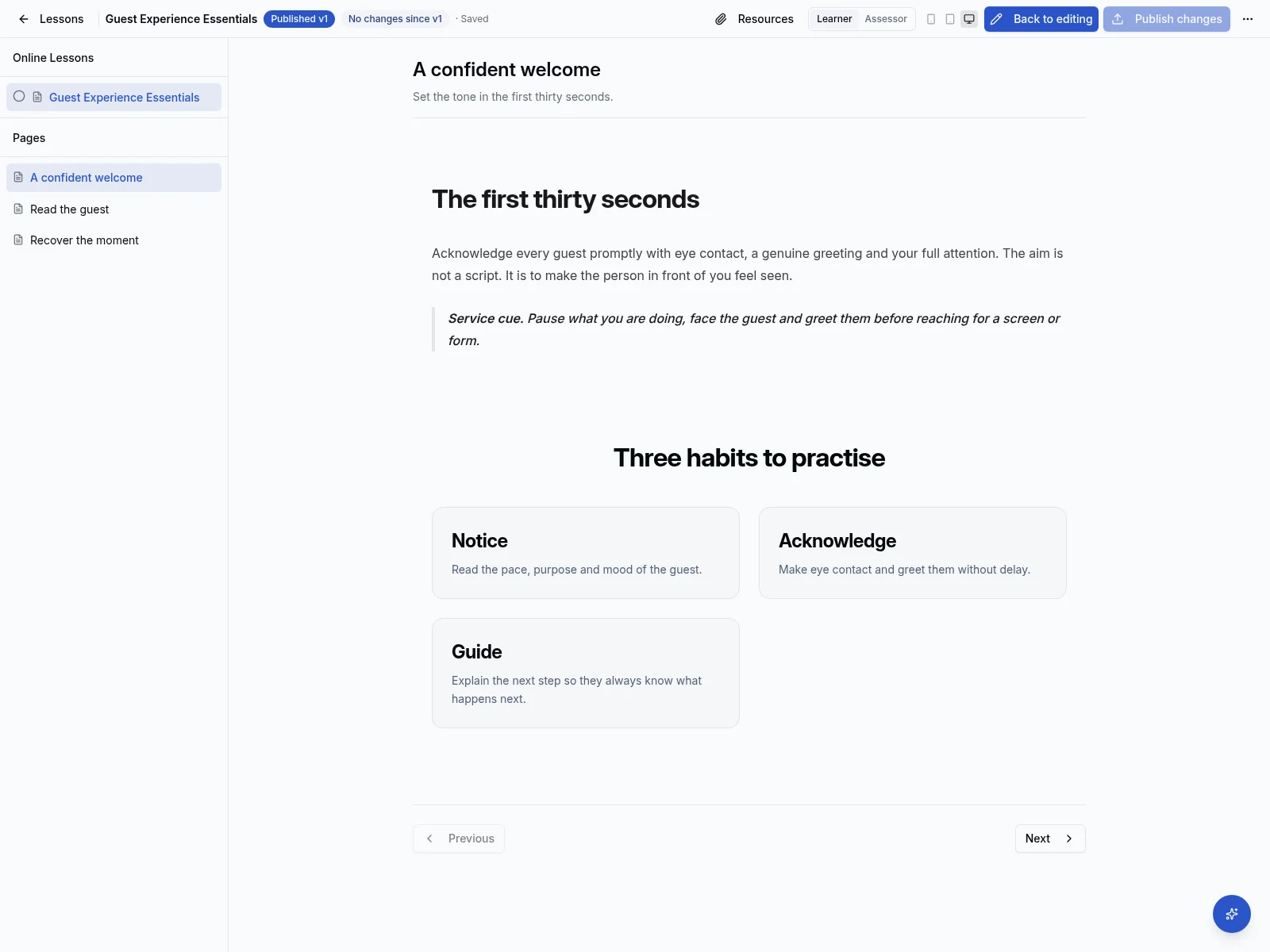
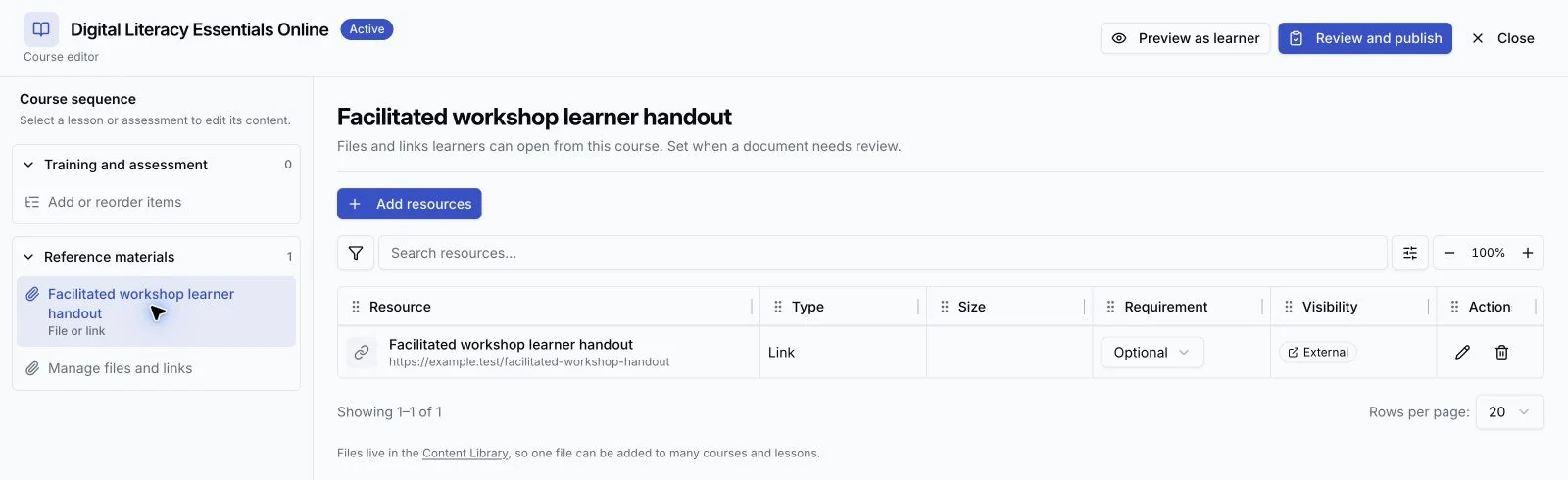
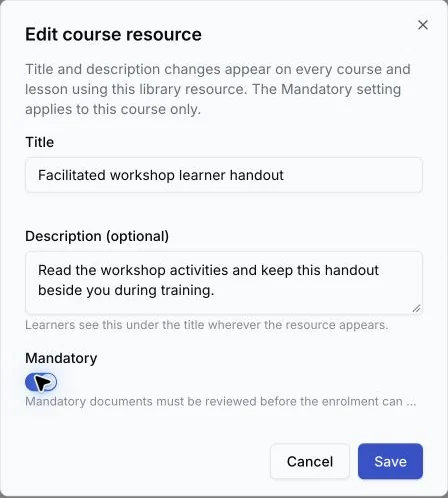
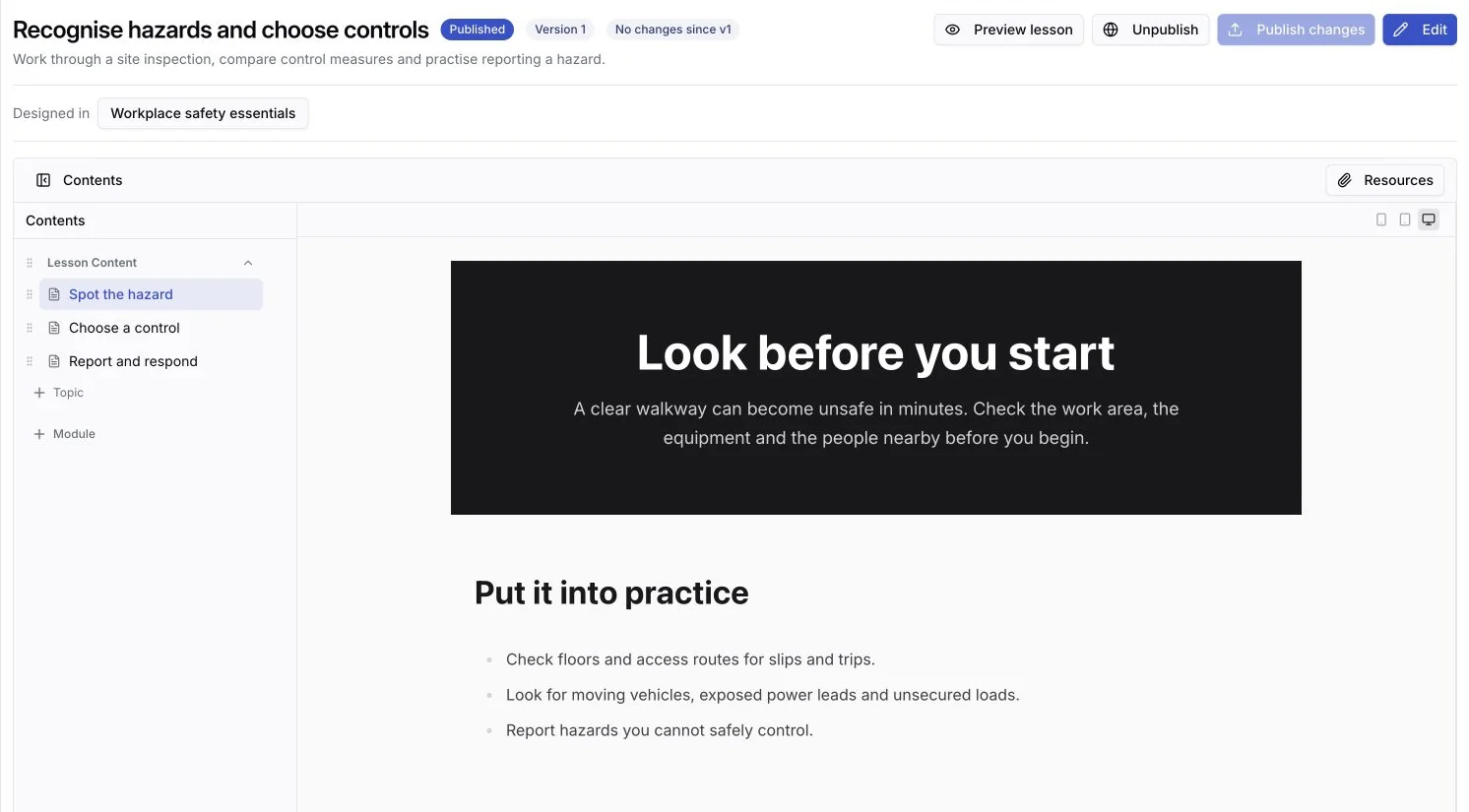
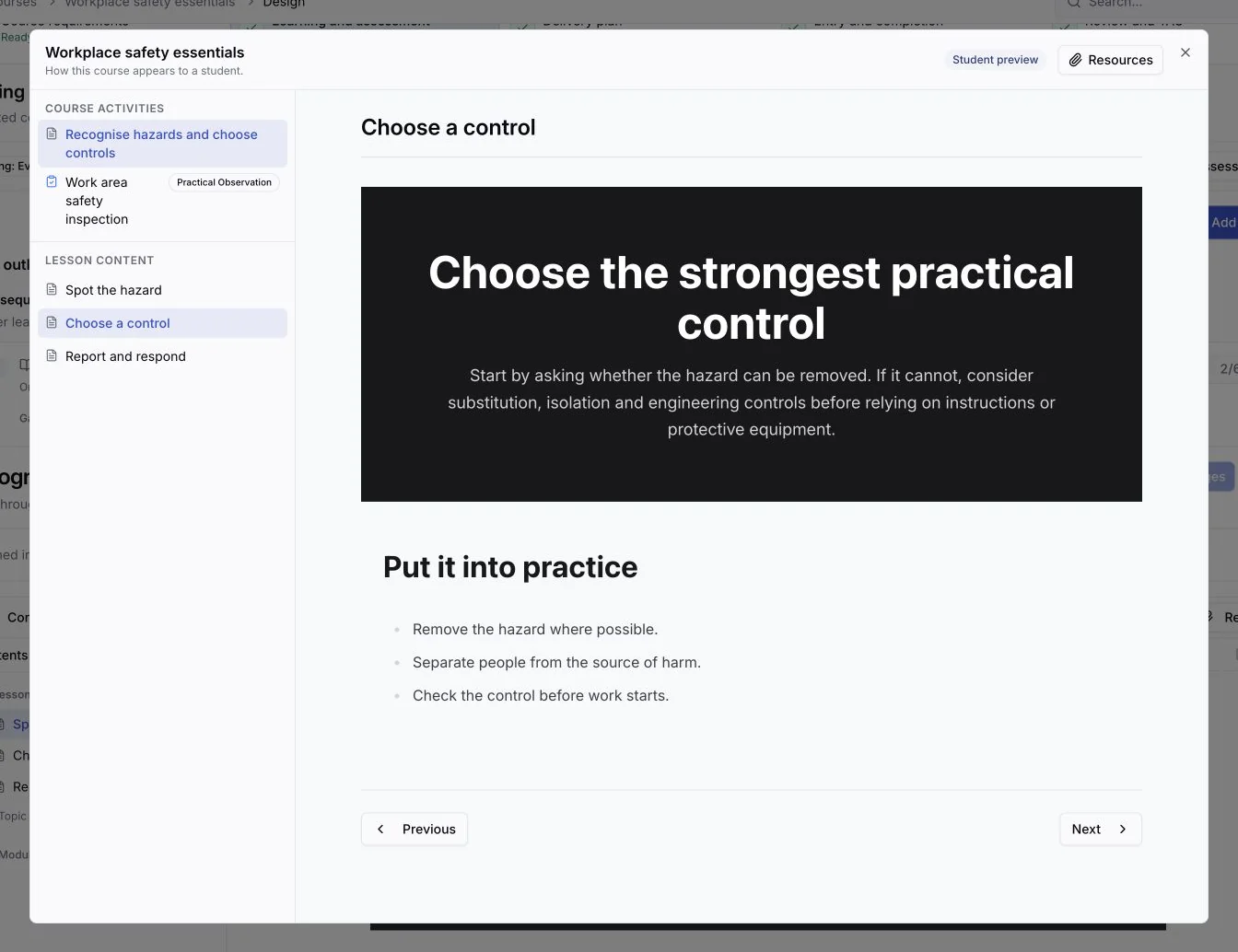
Arrange lessons, assessments and reference materials in the course sequence, then edit lessons and assessment tasks full screen with the learner's view beside your work. Preview saved content before publishing and see how many current learners an update reaches. Keep course details, units, delivery, pricing, entry and completion requirements, and review in the same workspace. Learner Home brings work from every enrolment together, with grouped notifications and a searchable Work Queue leading to the next action.
September 2026
Deliver a qualification through its unit courses and keep learner credentials on record
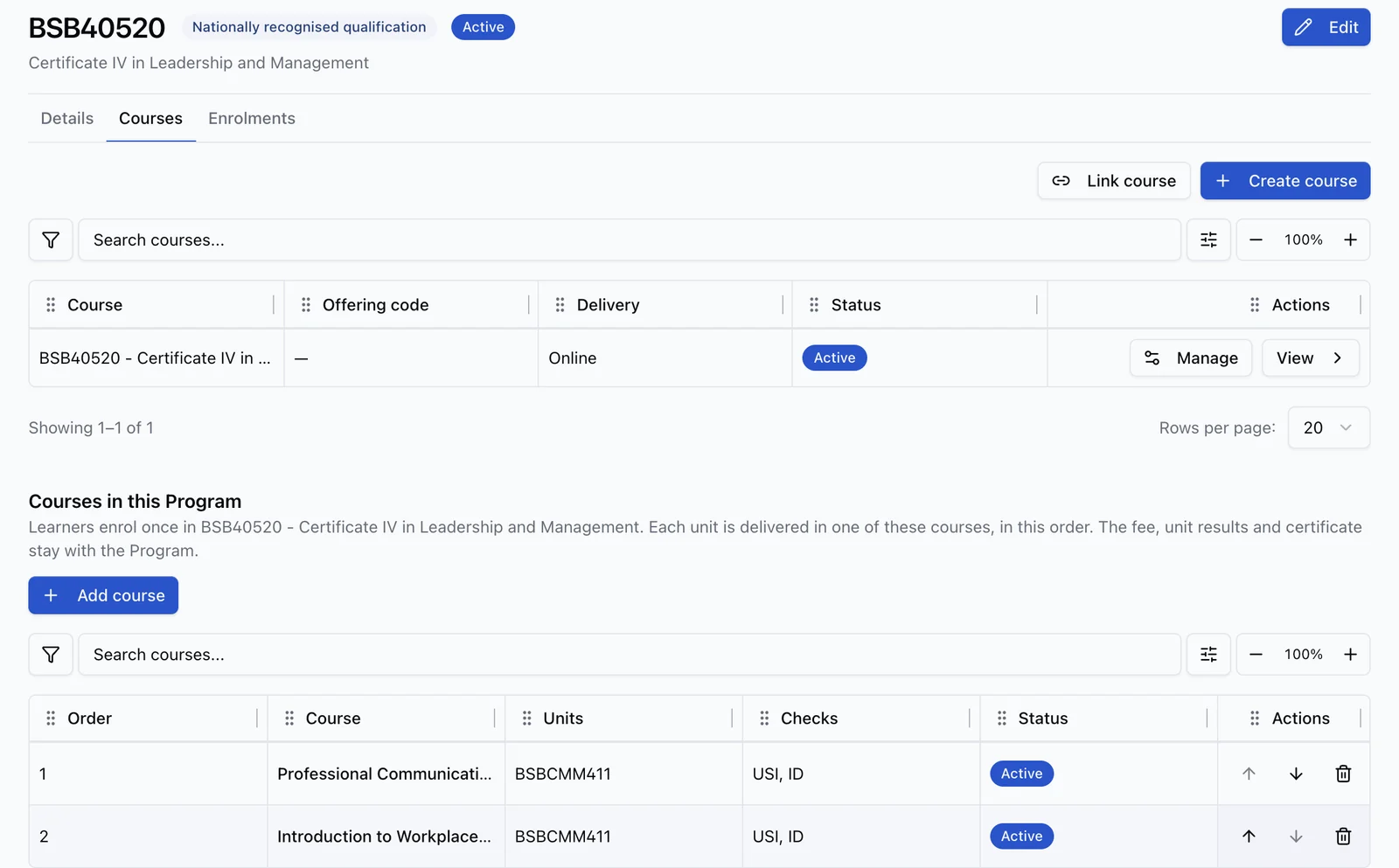
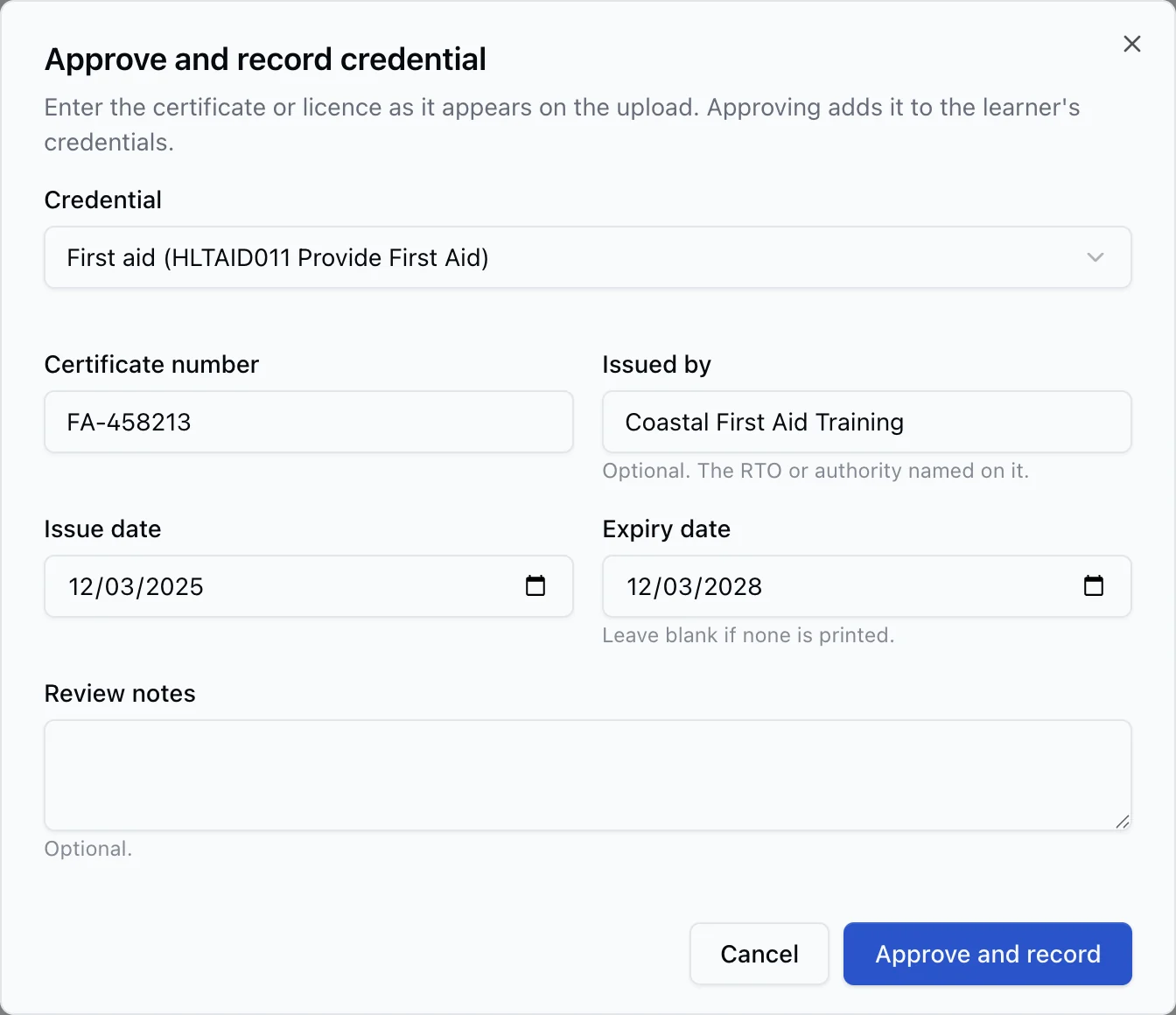
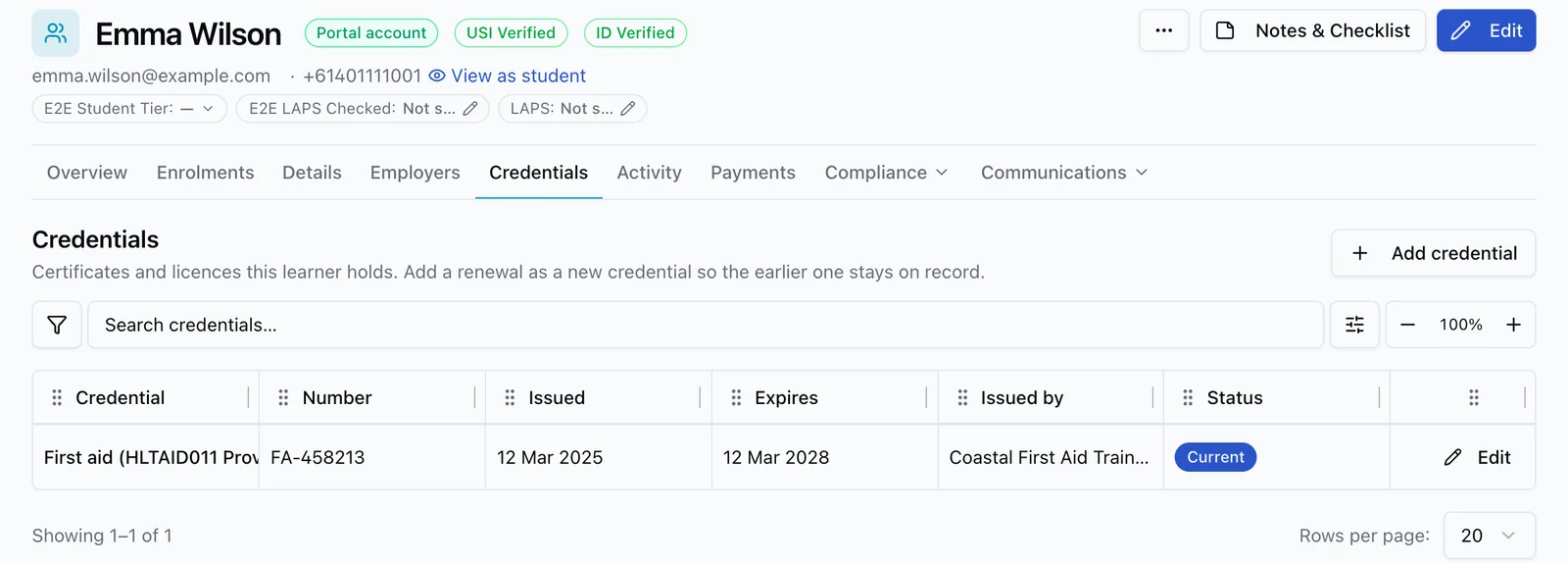
Set up a qualification as a course with its units as unit courses. Learners enrol once and work through each unit course in order, while the fee, results and certificate stay with the qualification, and staff see each learner's progress. Record first aid certificates, security licences and other credentials with their dates, flag enrolments that are missing one, and capture a certificate while approving its upload. NSW Police SLED notifications fill these details in.
Track professional development without a separate spreadsheet
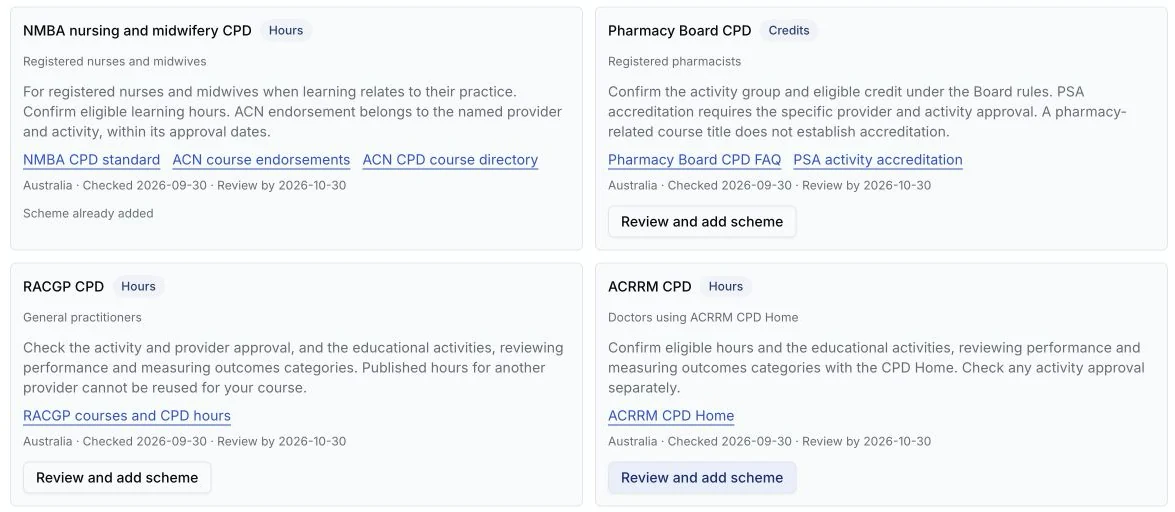
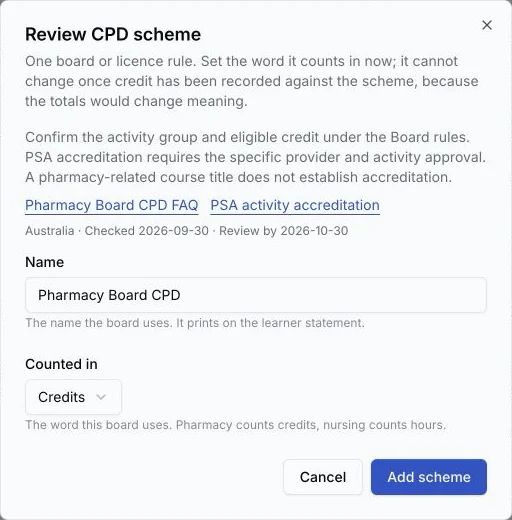
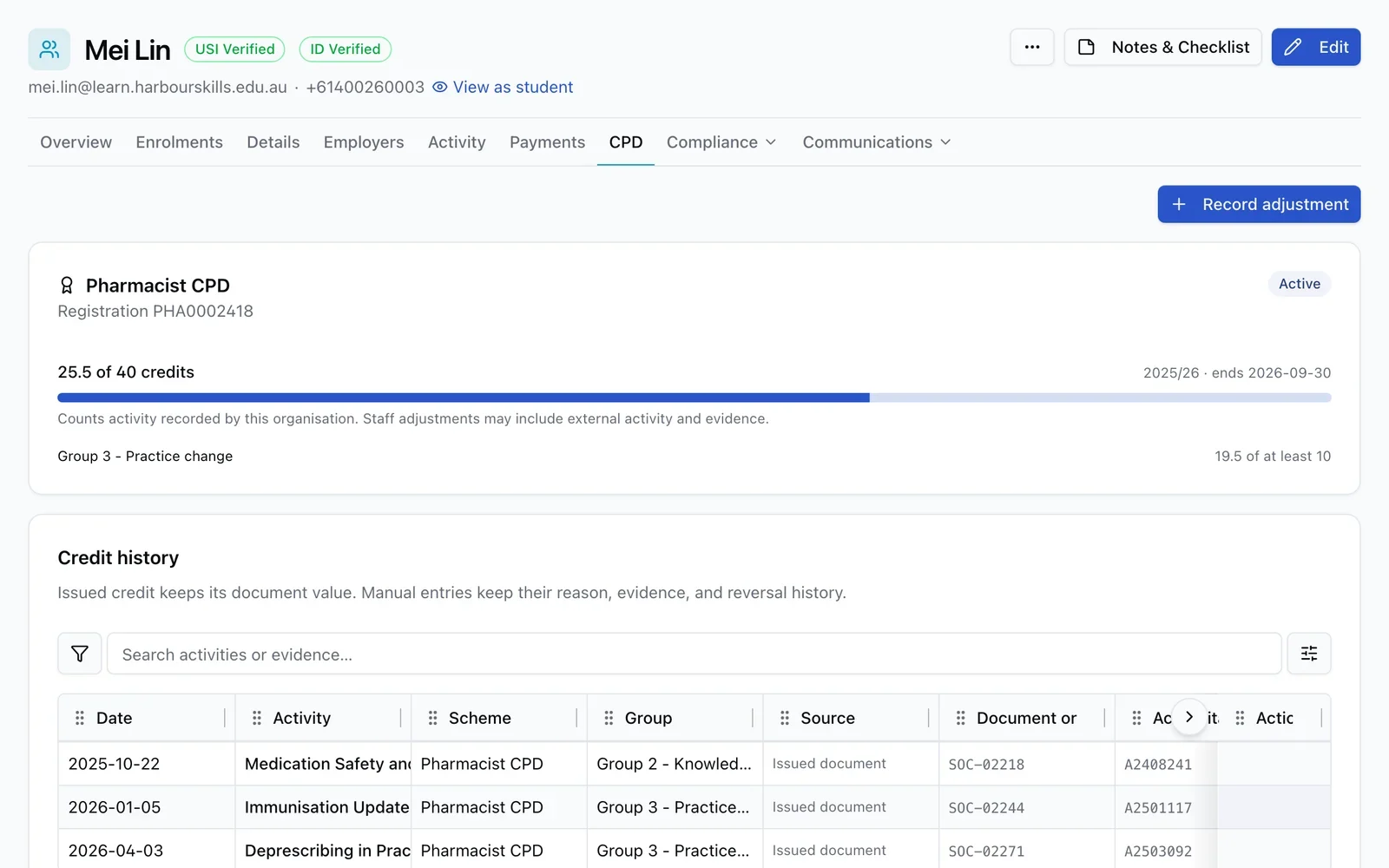
Review sourced professional scheme options or add a custom scheme, then set its cycle and requirements, rate courses, register learners and record checked external credit. Course suggestions include source guidance and review dates for staff to check before assigning credit. Learners can see their position and download a branded statement, while completion records preserve the credit earned at issue.
Let employers organise a class for their team
Employers can request training for several workers, staff can review and schedule the group together, and each worker can check in through a secure class link. Employers can also pay eligible training invoices from their portal, with payments kept against the right enrolments.
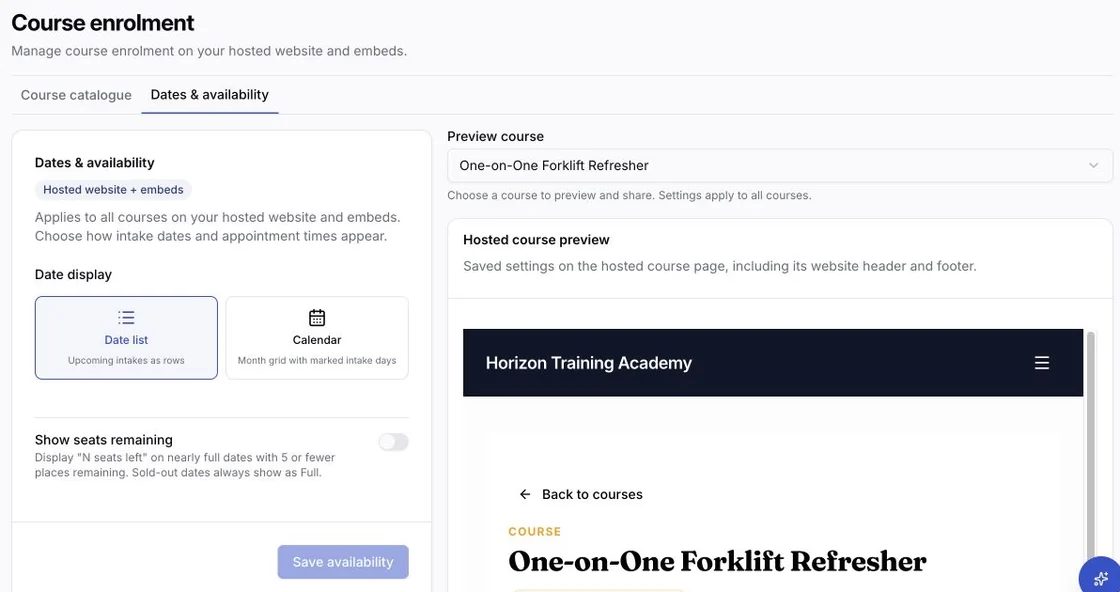
Set up course enrolment for your hosted website and embeds
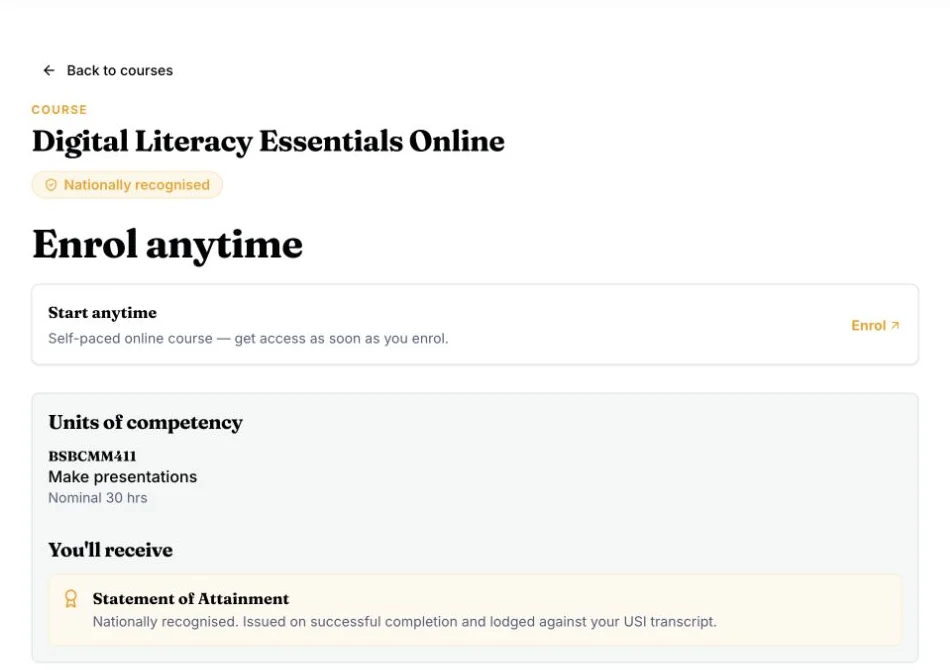
Save shared date and seat settings, with separate catalogue and course previews that follow your website mode. Public course pages now put enrolment options, units and completion details together. Save embedded course display preferences without replacing installed links or code, and keep learners in the same embedded flow when they return to dates or available times.
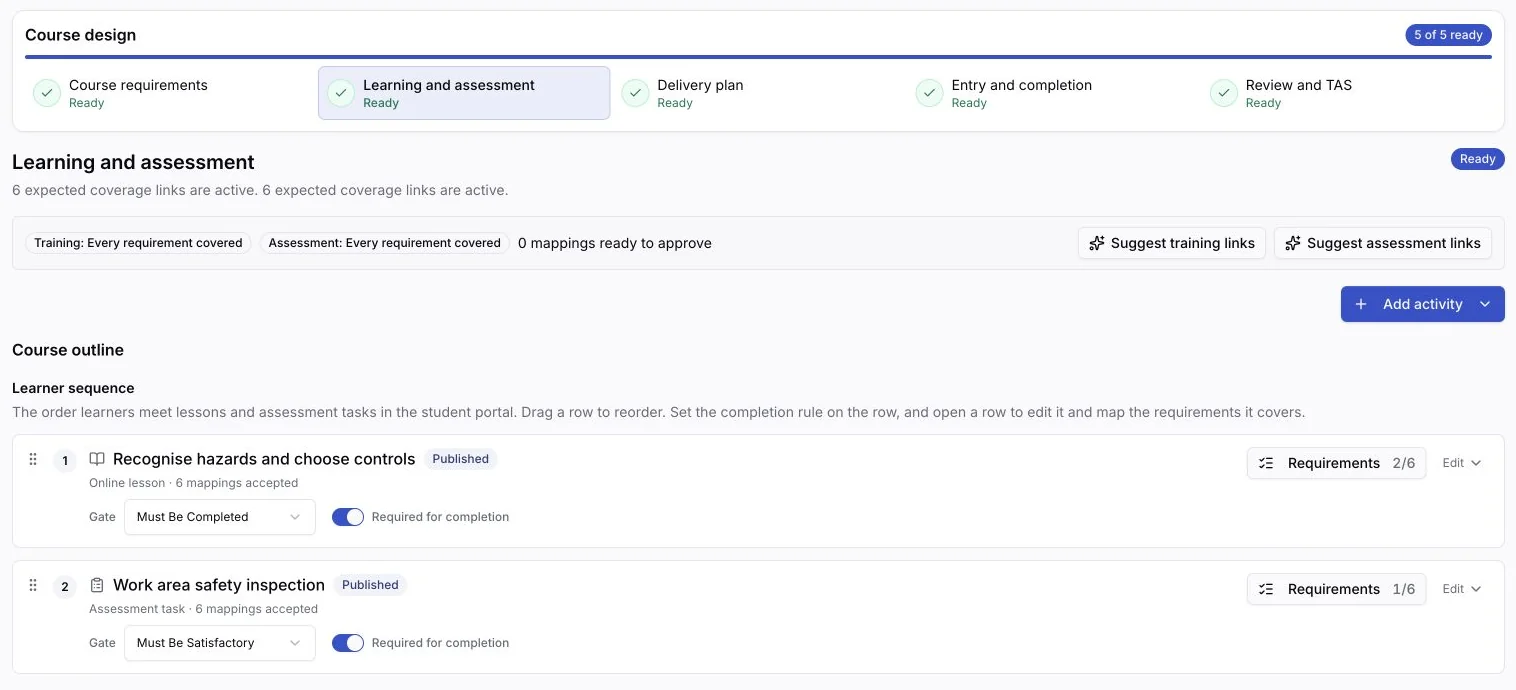
Design a course from requirements to publication in one workspace
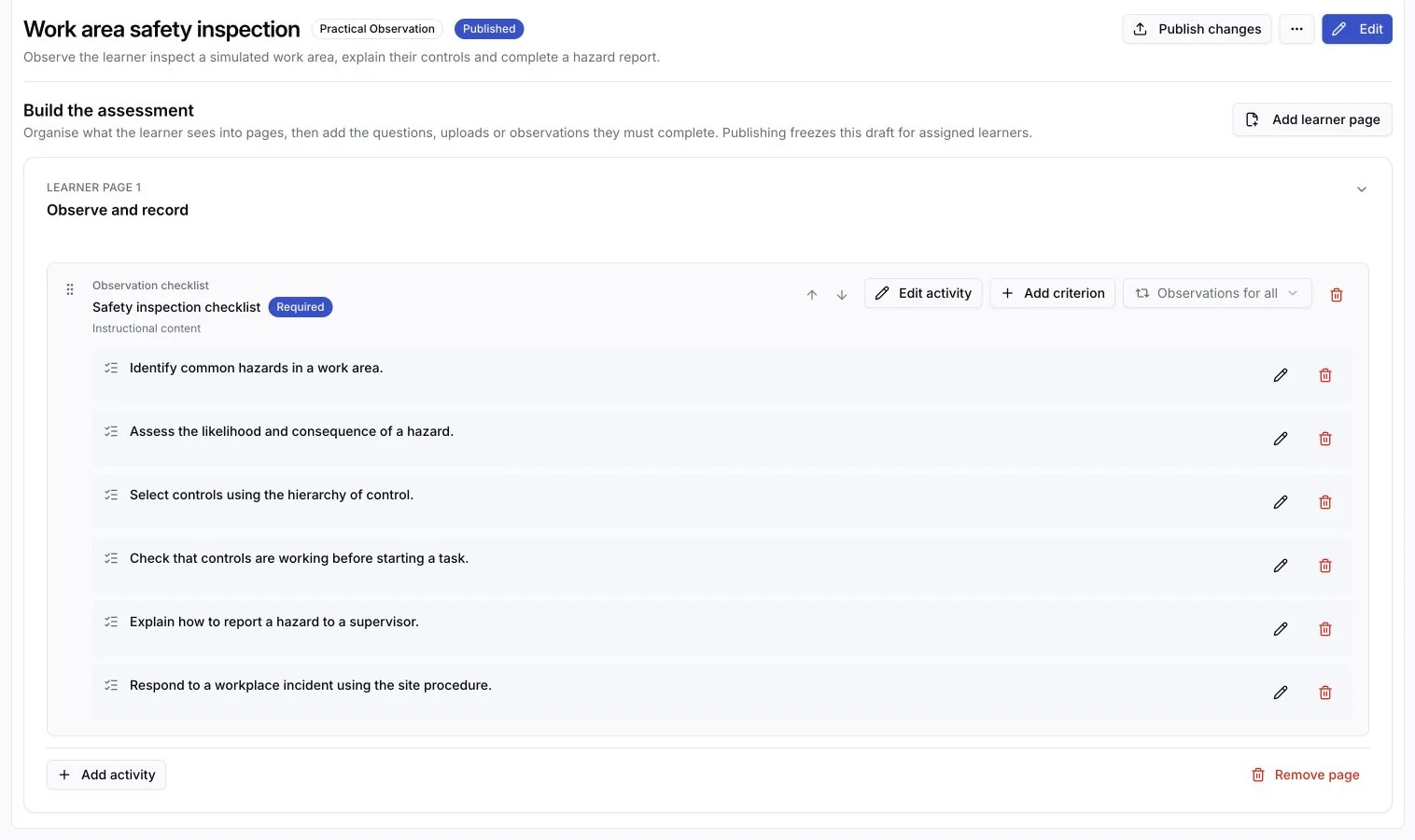
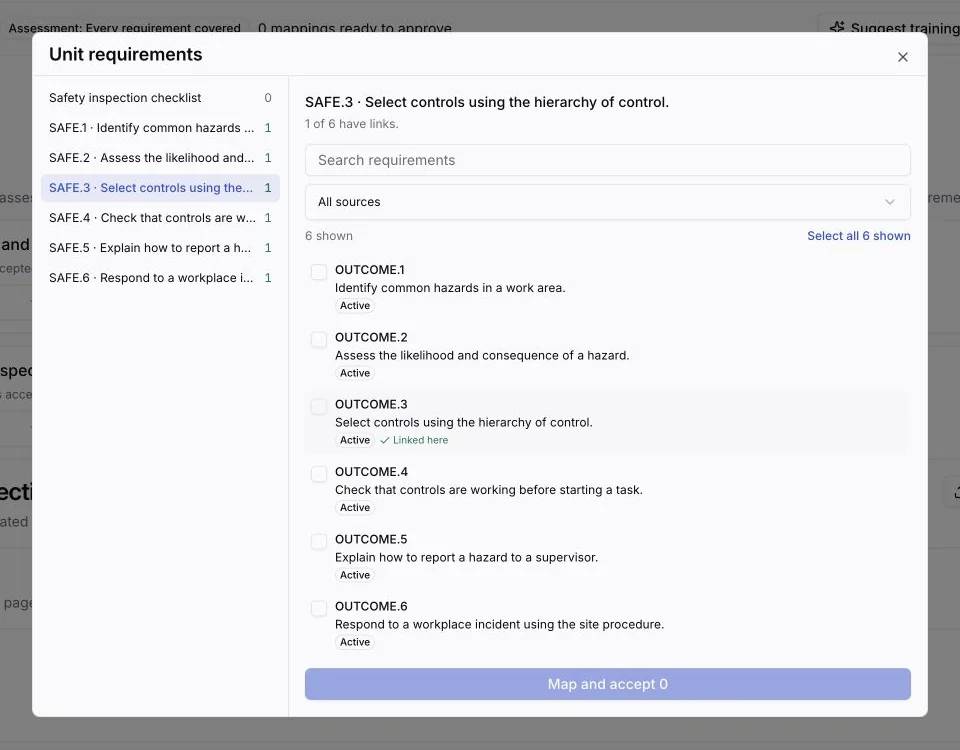
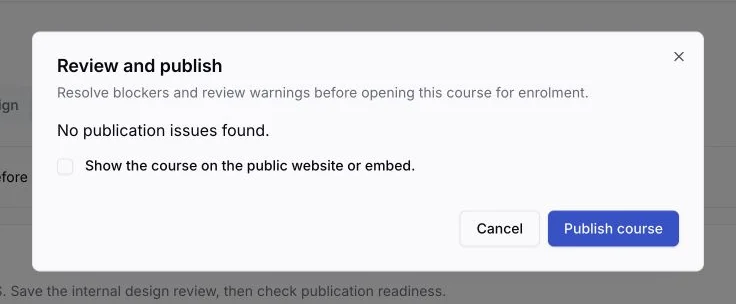
Arrange lessons and assessments, map the requirements they cover, record delivery arrangements and review the design before publishing. Prepare a replacement while existing learners keep their original delivered content.
Plan and price each appointment around the learner
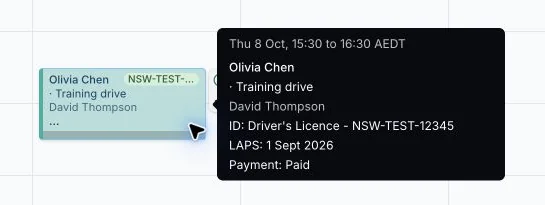
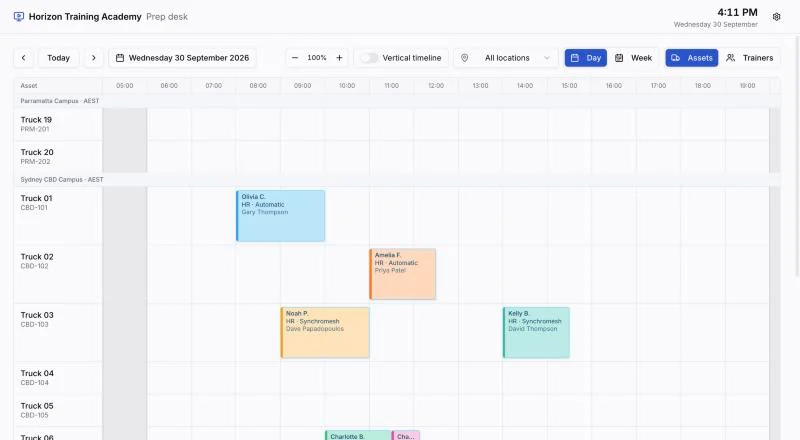
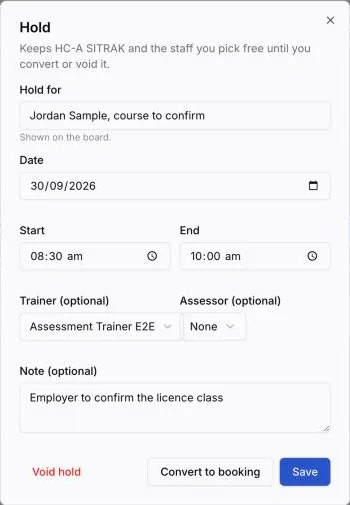
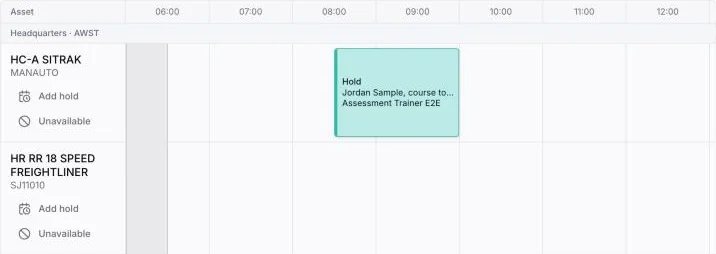
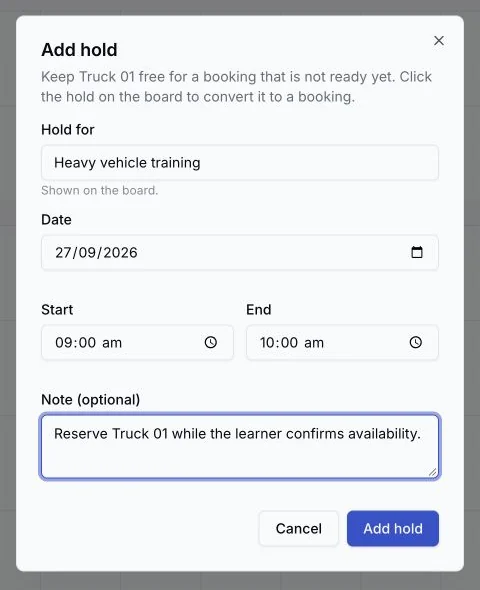
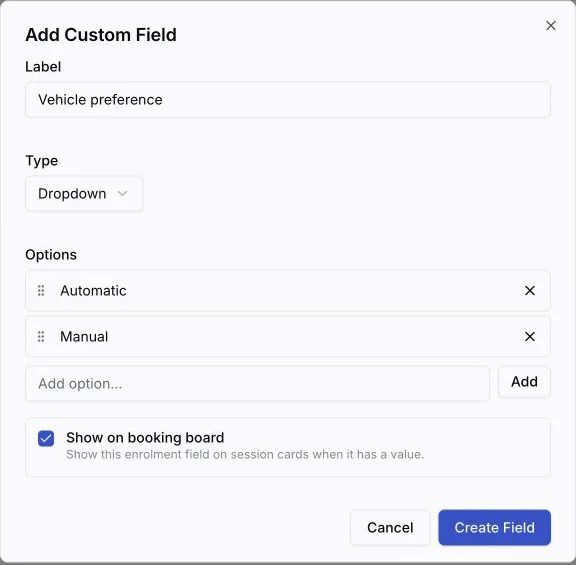
Add, remove or reclassify training and test sessions for one booking, then calculate its quote from training hours and per-test fees without changing the course defaults. Find a continuous trainer and vehicle slot, set booking block size, and resize a booking on the calendar. The schedule shows verification, licence and payment status, plus selected student and enrolment details. Trainer time off appears beside bookings, and the board and tables remember your zoom level. Hold a vehicle and the trainer and assessor you need before the learner is ready to book, edit a hold from the board, convert staff-created or imported holds into bookings, take a vehicle off for maintenance, and add retests with their own fees. Filter the board by booking status, and put it on a TV or tablet at the prep desk with Screens, which shows only live bookings for its venue and cannot change anything.


Complete a class and issue its documents in one pass
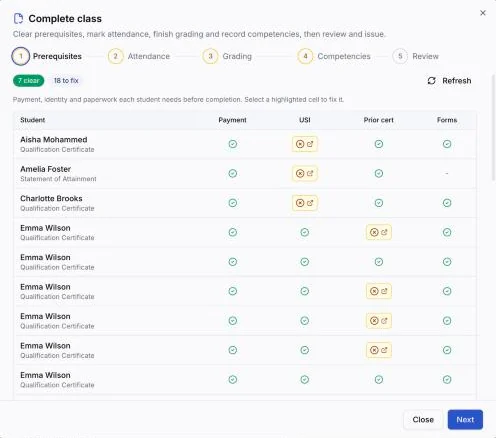
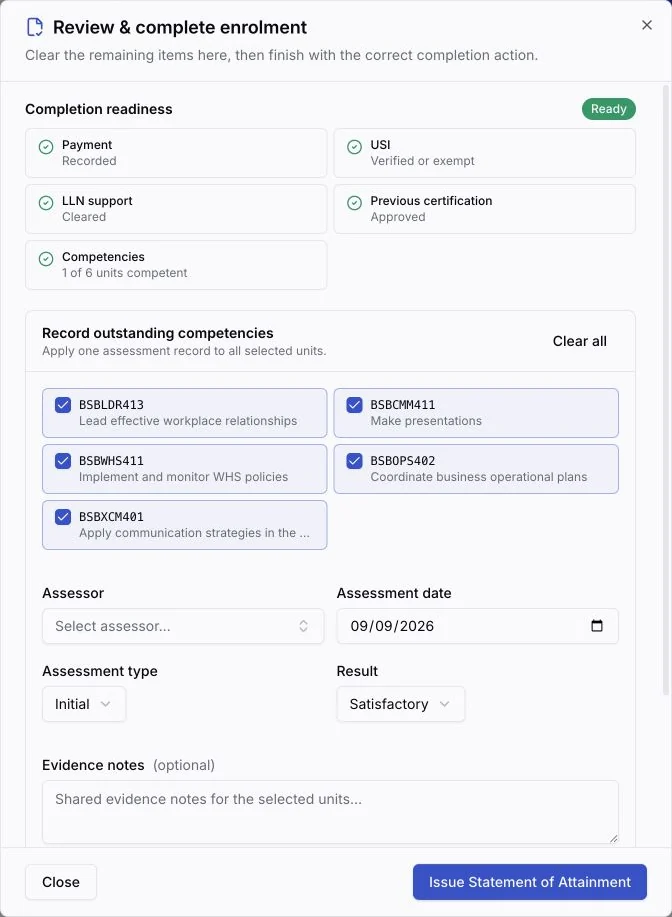
The Complete class wizard clears prerequisites, marks attendance, finishes grading and issues certificates or statements for the whole class. Enrolments receive a permanent number from one organisation-wide sequence. Historical records receive one when first prepared, issued or exported for lodgement. Issue an SOA for attained units after withdrawal without closing the enrolment as completed. New certificate copies keep the student, provider and signatory details recorded at issuance.
Run Department of Transport WA LAPS lodgements from a checked worklist
Validate every required learner and assessment field, reserve the correct TCN or completion number during export and record the accepted submissions against the lodgement.
Review practical assessments with the evidence beside each judgement
Page through long reviews, record each oral response, result and feedback, and attach photos and documents beside the relevant activity. Check the evidence before signing and retain it with the assessment record.


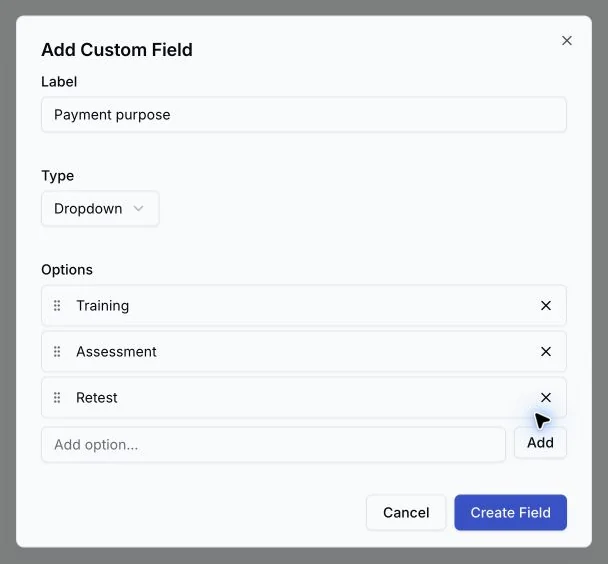
Record what each payment is for, and send payments to Xero
Define payment fields for your RTO, fill them in when recording a payment, and choose which fields appear in payment tables. Connect Xero in one click to sync invoices, employers and payments to the accounts you choose, with each course's revenue account and each site's tracking.
August 2026
Turn an assessment PDF into editable activities
Import an existing document into a course, keep its useful layout and visuals, review the extracted activities, and publish only when every course placement rule is satisfied.


Run operational email and SMS from one place
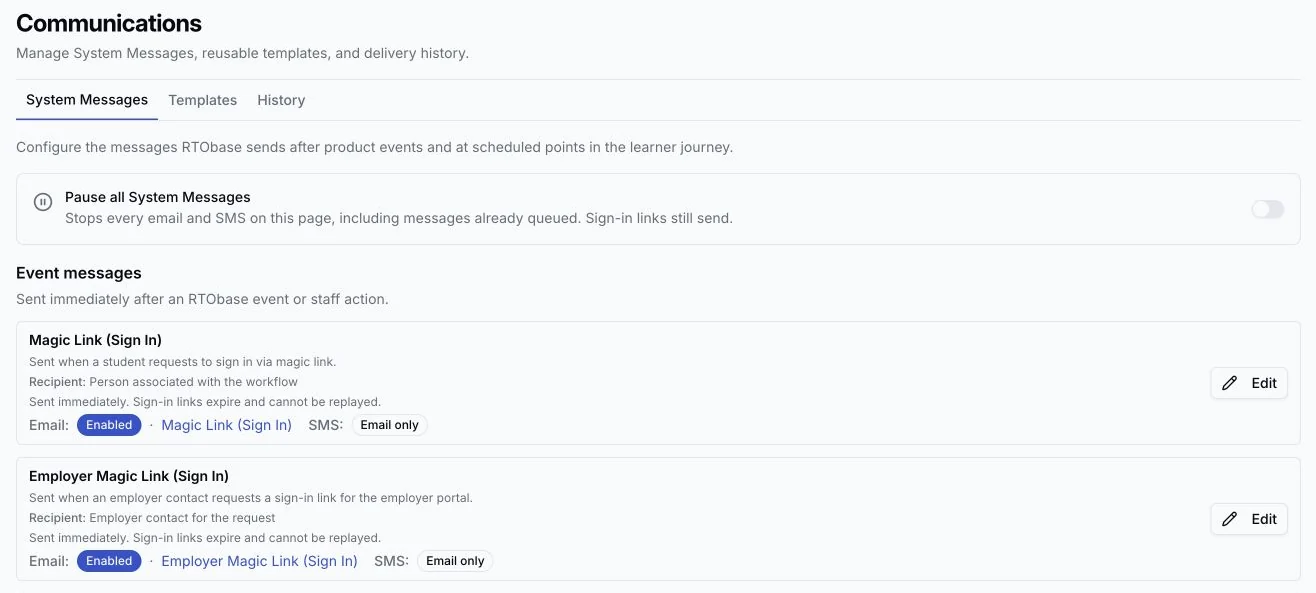
System Messages brings organisation templates, delivery history, retry safety, dead-letter recovery and deliberate resends together. Scheduled reminders, direct messages and product updates use the same refreshed layout with your organisation's branding. Renewals can also target a qualification expiry window, schedule configured reminders for eligible records including imported enrolments, or send one message now to each matching student. Every message keeps the correct learner and organisation attribution, uses a valid portal destination, and retains duplicate and recent-send protection.


Capture enrolment details in the shape your RTO needs
Student and enrolment custom fields now include calendar dates, local clock times and structured field groups that keep related values together under the labels and order your team defines. For class intakes, select several students, review the proposed enrolments together and create the whole batch atomically.

Run appointment delivery around real schedules
Eligible learners and employers can reserve an available slot themselves, with identity, relationships, trainer capability and availability checked again before acceptance. Staff can split one planned delivery session into shorter appointments while preserving its total duration and keeping assessment sessions protected.
Know where your enrolments actually come from
Your hosted website now reports its own visits, the pages people read, where they arrived from and which campaigns brought them, counted without cookies and without storing anyone's personal details. Marketing performance carries that through to enquiries, enrolments and successful payments, while Affiliate marketing gives partners tracked links and keeps verified commissions and payouts in an auditable ledger.


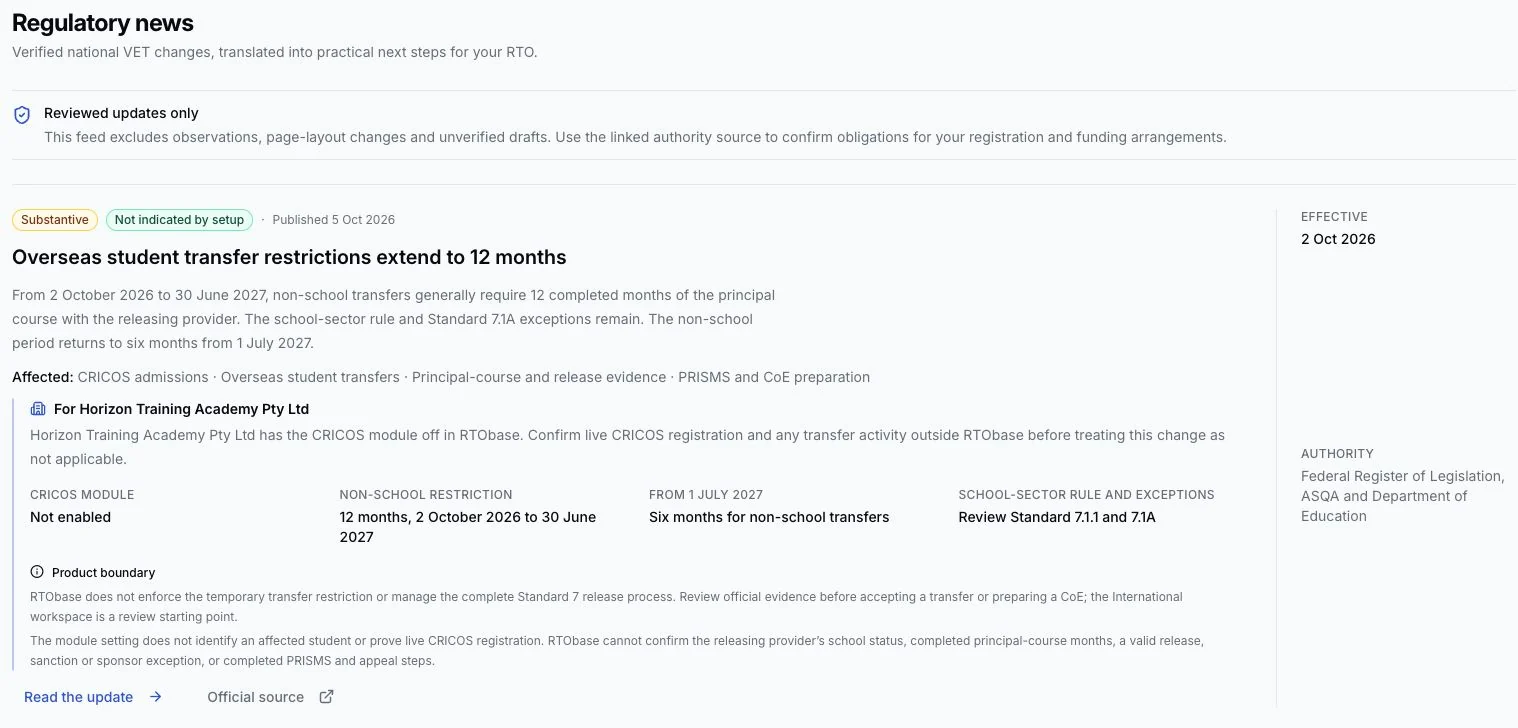
Know what a national rule change means for your RTO, not just that one happened
The new Regulatory news page tracks verified changes to national VET rules and reads each one against your organisation's own registration, plan and funding arrangements, telling you plainly whether it needs action, a review, or nothing from you, and linking straight to the pages where the work happens and to the authority's own announcement.
Quality Indicator reporting, ready for ASQA's annual summary
The national Learner and Employer questionnaires are built in with their official wording protected, learners are invited automatically when a nationally recognised enrolment completes (always voluntarily, never holding up a certificate), and the report page rolls responses into the national summary scales with a PDF and CSV ready to transcribe into ASQA's webform each June. Both questionnaires are Forms like any other, so you can add your own questions around the official wording without altering a word of it, and employer questionnaires go to a named approved contact on their own secure link.
Train on the learner's or the employer's own vehicle
Practical sessions no longer depend on your organisation owning a matching vehicle or piece of equipment. Turn the arrangement on for the capability groups it applies to, record the registration or asset identifier, description and configuration, and note when you sighted roadworthiness and insurance. Learners are told what they need to bring, and the evidence stays on the session.


Payment records now decide the enrolment status
Successful, partially refunded, refunded and disputed payments follow one ledger-backed rule across lifecycle, completion and certificate gates, while the payment settings page adds a guided go-live checklist and a clear fee breakdown.
Your lodgement register only ever shows submissions that actually passed
An AVETMISS submission can be recorded as lodged only once a clean AVS result for that exact file has been imported, so a result from an older or regenerated export cannot be mistaken for the current one. Readiness also catches more before you upload: missing delivery locations, continuing outcomes ending inside the collection year, a learner with overlapping dates for the same subject, and learners still in training whose units have not been recorded yet, each listed with the students and units to repair.
July 2026
Stay ready for audit instead of preparing for one
Compliance work is organised across all 23 ASQA 2025 Outcome Standards as continuous assurance: one guided plan of the whole year you can work through a sitting at a time, four-step Standard reviews backed by real evidence, assessment validation, trainer authorisation, product transitions, and audit packs you can hand over with a manifest of exactly what is in them. Every Standard can name its accountable owner, trainers record their own professional development for a colleague to confirm, and the national Quality Indicator questionnaires are collected and reported the way the annual summary asks. Nothing turns green on its own, so a result always reflects a decision somebody accountable actually made.
Teach overseas students without running a second system
CRICOS delivery runs alongside your domestic students on the same records: provider setup, education agents and commissions, applications, offers and written agreements, confirmations of enrolment, fee schedules, welfare and accommodation for under-18s, and visa monitoring. Accepting a package course turns it into an ordinary enrolment in one step, so nothing about domestic delivery changes. Available on Business and Custom plans.
Build, deliver and assess learning in one library
Online lessons, assessment tasks, forms and reusable question banks now live in a single workspace, and a course sequences them side by side with required steps and completion gates. A published version never changes underneath a learner, so editing a task or a question bank cannot alter what someone has already been asked.
See what needs attention today, and give it to someone
Students, classes and compliance tasks collect in one work queue ranked by urgency, which you can assign to a teammate and clear together. Student USIs verify themselves against the national registry in the background, and anything unmatched joins the queue. Learners whose certificate is expiring get their own Renewals page counted across your whole history, because a certificate issued four years ago still expires this month.
Prove how you deliver before anyone asks
Every course scores how much of a Training and Assessment Strategy its live delivery data can already support, drafts the narrative sections for a person to confirm one at a time, and exports a document that shows where each statement came from. Who your learners are, why the amount of learning suits them, and your industry consultation stay yours to write, and an approved final version counts as assurance evidence on its own. When an approved strategy passes its yearly review date, the course raises a reminder that clears the moment a refreshed version is approved.


Combine duplicate student records without losing history
A review queue surfaces likely duplicates, and a guided wizard walks you through choosing the surviving record and reviewing every affected enrolment, document and payment before anything merges. Compliance blockers such as duplicate live enrolments or already-lodged reporting history are enforced automatically, every merge is audited, and a merge can be reversed while it is still safe to do so.
Design your website and lessons for the screen people actually use
The website builder and the lesson builder both gained live phone, tablet and desktop previews, per-breakpoint controls, and a focus mode for distraction-free editing. Add an enquiry form to any page, course or location, and submissions arrive in an Enquiries inbox as leads with page and course attribution, ready to turn into a student.


The Business plan is one flat price
$499 per month with no per-enrolment fees: nothing is metered, students and enrolments are unlimited, and SMS is included under a fair-use allowance of 1,000 messages a month. Startup remains free each month with a 2% + 30c fee per paid enrolment capped at $4, and free or fully-discounted enrolments carry no fee. Every plan stays month to month, with no lock-in and no setup fees.
Invoices treat GST the way the ATO does
Accredited courses are GST-free education supplies, so invoices no longer add 10% to them. Non-accredited courses stay taxable with the contained GST shown, and any course can override its treatment.
Notifications lead with work you can act on
Compliance housekeeping sits quietly at the bottom of the panel rather than as a red block at the top, and the bell counts only critical alerts. Notifications and the work queue show work from the last 12 months, so imported history stops burying what needs attention today.
June 2026
Ask for what you need instead of hunting for it
The Admin Agent finds records and outstanding work, opens the real forms pre-filled from your conversation, and prepares changes for you to approve. It works under your own login and access rules, so it can never reach another organisation's data or give you a permission you do not already have.
Run training by appointment, not just by timetable
Full appointment scheduling covers multi-session bookings, trainer and asset matching, clash protection and venue-local times, and students or employers can book themselves in from your public site.
Check language, literacy, numeracy and digital readiness before someone struggles
Set the expected level per course for the skills that matter, screen learners against a validated question bank, and record the support you provided. A learner who already screened at or above the level is reused automatically rather than sitting the same check twice.
Know where you stand against the Standards
Self-assurance reporting shows your audit readiness at a glance and takes you straight from a gap to the record that fixes it.
Lodge AVETMISS without guesswork
A guided lodgement wizard prepares your submission, and an export readiness check tells you what would fail before NCVER sees it.
Protect accounts with two-step sign-in
Admins, staff and trainers can all turn on an authenticator app.
Set your organisation up from training.gov.au
Pull qualifications and units straight from the national register rather than keying them in.
May 2026
See the whole student lifecycle on one page
A lifecycle dashboard tracks every enrolment from enquiry to certificate, with an activity feed on each record showing what happened and who did it.
Let routine follow-up run itself
An automation engine sends USI reminders, inactivity nudges, renewal reminders and screening chases on your schedule, cancelling itself automatically when the learner does the thing you were chasing.
Spot an enrolment going wrong while you can still fix it
Every enrolment carries an outlook of On track, Monitor or At risk, a one-line summary, the single next best action, and a predicted completion date.
Verify USIs against the national registry
Check a student's USI directly from their record rather than through a separate government portal.
Deliver regulator-issued training
High Risk Work Licence courses and hospitality regulator coverage across Australia, including students who go by a single name rather than a first and last name.
Keep the records an auditor will ask for
Attendance is retained for 30 years, enforced by the database itself, statements of attainment snapshot the student's name as it was at issue, and every AVETMISS export is tracked with an audit trail of any NCVER substitutions.
April 2026
Give employers their own way in
An employer portal covers sponsored students end to end, from training requests through to invoices and progress.
Lodge completed training with the issuing authority
A lodgement workflow tracks what has been submitted, what is outstanding, and what is ready to go.
Release course content when the learner is ready for it
Content gating holds later material until earlier steps, payment or screening are done.
Catch compliance problems as your data changes
Compliance alerts are raised, deduplicated and resolved automatically as records change, rather than waiting for someone to run a scan.
Freeze an assessment once a learner starts it
Assessment version pinning means editing an assessment never changes what somebody is partway through.
March 2026
Manage the businesses that send you students
Employer records tie sponsored learners, training requests and invoicing to the organisation paying for them.
Mark online assessments in one place
A submissions view collects everything awaiting review, with retries and third-party reports handled properly.
Reach students reliably
Enrolment confirmations, class reminders and complaint messages send from templates you can edit, with merge tags that fill in the right details.
Shape your public site
Text and image widgets, URL redirects and a classroom schedule page give you control of what visitors see.
Connect Xero
Invoices sync to your accounting system, with credentials held per organisation in an encrypted store.
February 2026
RTObase launched
Student management, enrolments, assessments, AVETMISS reporting and your public website on one platform.