
Compare
RTObase vs AI compliance tools
Continuous assurance inside the platform that runs your RTO. Bring your student records across from your existing AVETMISS NAT files.


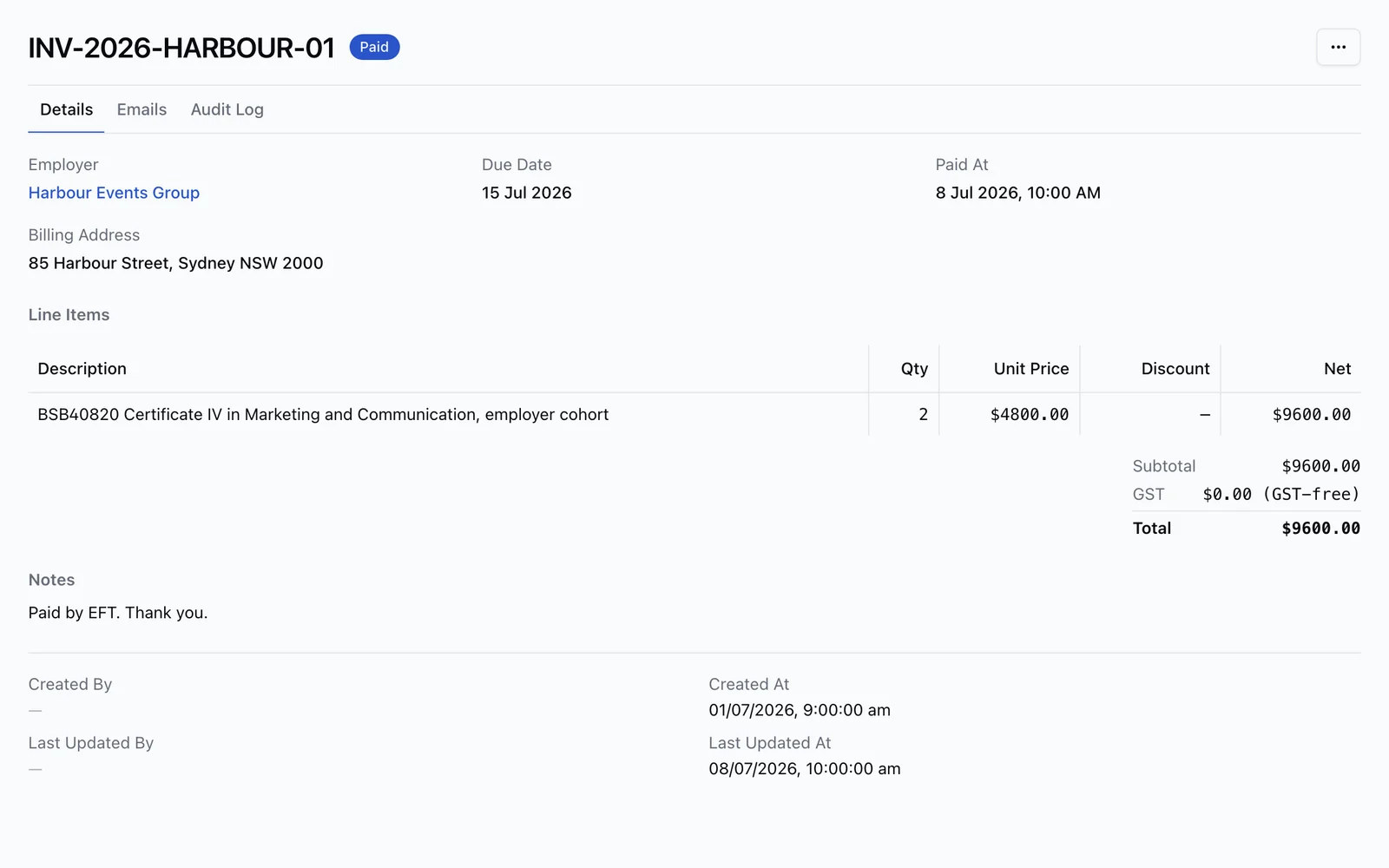
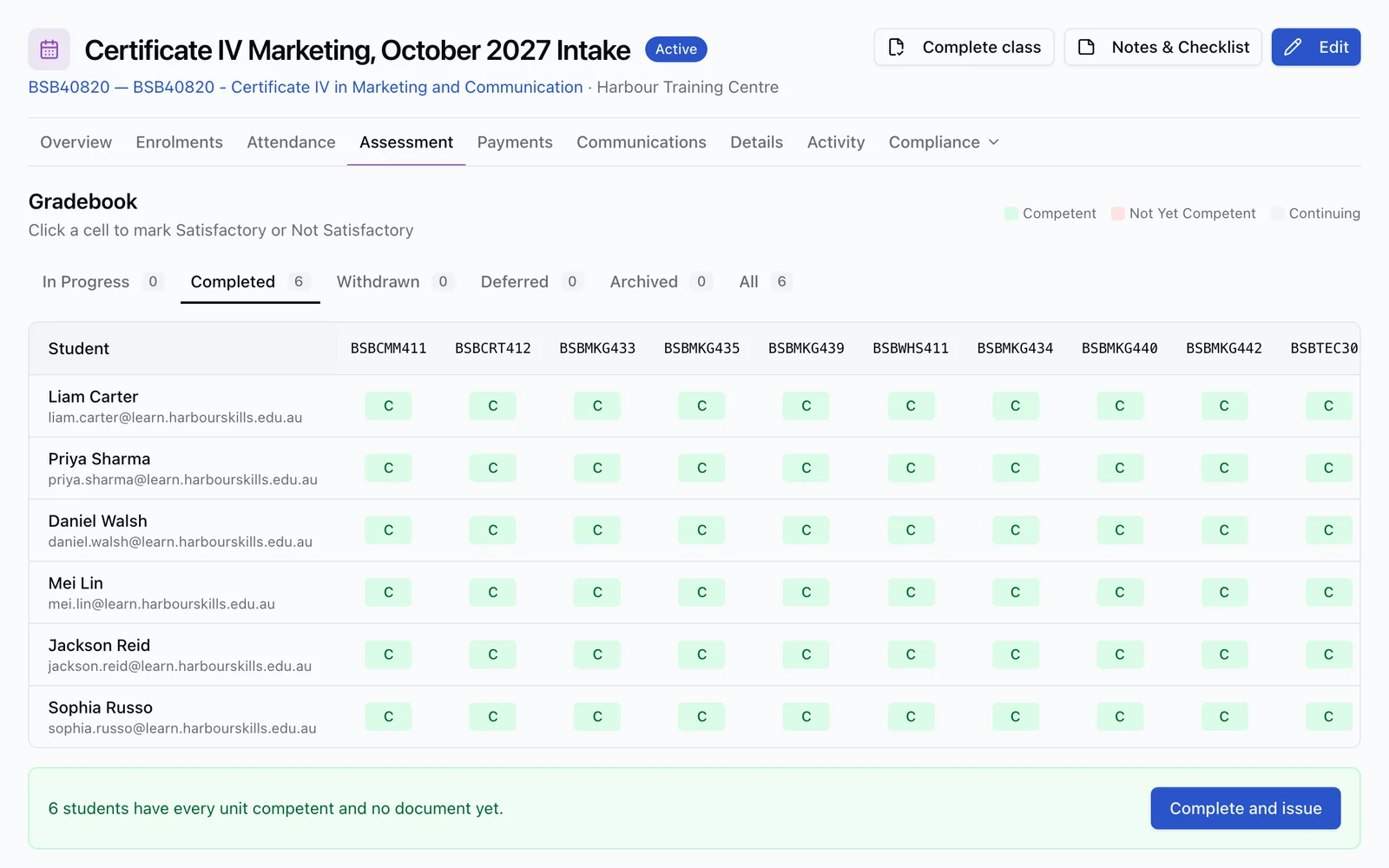
One enrolment record
Learner, course, progress, payments and completion work stay together from start to finish.
The honest read
About AI compliance tools
RTOSafe, Octossure and AssureMate (formerly QUALTICKS) are dedicated compliance workspaces for standards, evidence, risk, recurring tasks, validation and audit readiness. RTObase Continuous Assurance now covers the core standards-to-audit workflow inside the same SMS, LMS, website, enrolment, payment and reporting platform, so evidence can come directly from the operational records your team already maintains.
Where AI compliance tools excels
Purpose-built registers for risks, controls, policies, marketing material and staff professional development
RTOSafe provides automatic recurring task schedules, mandatory checklists, assignments and overdue reminders
Octossure provides risk-led validation sampling, operational spot checks and board reporting
RTOSafe publishes monthly pricing from $395 and AssureMate publishes annual plan pricing
A practical overlay for RTOs that want to keep their existing student management system
Common reasons RTOs switch from AI compliance tools
Their published product focus is compliance, so an RTO still needs an operational system for student and delivery records
Operational evidence must be imported, linked through an integration or maintained separately from the source record
RTOSafe starts at $395 per month on top of the SMS and LMS stack an RTO already pays for
Octossure does not publish pricing, so buyers need a sales conversation to establish the total cost
Specialist registers add capability, but they also introduce another workspace for staff to maintain
Feature by feature
Feature comparison
See how RTObase compares to AI compliance tools across the features that matter most to Australian RTOs.
| Feature | RTObase | AI compliance tools |
|---|---|---|
| Standards Evidence Register | Included | Yes |
| Evidence From Live RTO Records | Included | Imported or linked through integrations |
| 23 Outcome Standards Catalogue | Included | Yes |
| Guided Review and Sign-Off | Included | Yes |
| Required Changes and Effectiveness Checks | Included | Yes |
| Risk / Control Register | Not included | Yes |
| Compliance Work Planning | Standards work plan and required changes | Recurring schedules and specialist workflows |
| Automatic Recurring Compliance Tasks | Not included | Yes |
| Assessment Validation Workflow | Included | Yes |
| Automatic Statistical Validation Sampling | Manual sample selection | Octossure |
| Trainer Authorisation and Evidence | Included | Yes |
| Marketing Material Lifecycle Register | Not included | Yes |
| Locked Audit Pack and Evidence History | Included | Audit exports and packs |
| Existing Compliance Documents Carried Forward | Included | RTOSafe: uploads + version history |
| AVETMISS Reporting | Included | Not a published product focus |
| Student Management | Included | Not a published product focus |
| Online Enrolment and Student Portal | Included | Not a published product focus |
| Built-in LMS and eLearning | Included | Not a published product focus |
| Certificate Generation | Included | Not a published product focus |
| Built-in Website and Payments | Included | Not a published product focus |
| Predictive Lifecycle Insights | Included | Not publicly documented |
| Approval-Gated AI Admin Actions | Included | Not publicly documented |
| Published Pricing | Included | RTOSafe and AssureMate public; Octossure quote only |
RTObase now matches the core standards-to-evidence-to-review-to-rectification-to-audit chain. RTOSafe, Octossure and AssureMate remain deeper in areas such as recurring compliance schedules, risk and control registers, marketing approvals, staff professional development self-service, automatic validation sampling and board reporting. Confirm migration of historic review decisions separately from document uploads. RTObase differs by running assurance on the same records used for enrolments, delivery, trainers, assessments, payments and reporting.
Feature comparison based on publicly available information. Contact us if any information needs updating.
Migration
How to migrate from AI compliance tools
If your current system can export AVETMISS NAT files, RTObase imports the student, program, unit and training-activity records they contain. You review everything before going live. NAT files do not carry every document, payment, note or communication from your old system.
Export the policies, training and assessment documents, evidence, risks and review history you need to retain
Bring student, course, unit and enrolment records across from your existing AVETMISS NAT files
Add retained compliance documents as evidence to review, then confirm what each document demonstrates
Use Standards, Work Plan, validation and audit packs from the same records used to run training
Your data
What RTObase imports from your AVETMISS files
NAT files carry the regulated training records below. They are a migration starting point, not a complete copy of your former system.
Students & Demographics
Names, contact details, USI, date of birth, gender, indigenous status, disability information, and prior education.
NAT00080, NAT00085, NAT00090, NAT00100
Courses & Programs
Program IDs, course names, nominal hours, and all associated units of competency.
NAT00030, NAT00060
Enrolments & Activity
Training activity records, start/end dates, delivery modes, outcomes, and completion status.
NAT00120, NAT00130
Locations
Delivery location codes, addresses, postcodes, and state information.
NAT00020
Also compare RTObase with
Ready to switch from AI compliance tools?
Sign up for RTObase, upload the AVETMISS NAT files from AI compliance tools, and review your records inside your new workspace before going live. No lock-in contracts, no hidden fees.