
AVETMISS Release 8.0 · NCVER reporting
Submit AVETMISS without the dread.
RTObase turns your live student records into validated NAT files for fee-for-service reporting, USI verification when configured and validation issues flagged before upload to NCVER AVS. Included on all plans.
$0/month to start · no credit card · AVETMISS reporting on every plan
See ASQA compliance →
Release 8.0
AVETMISS NAT files, generated and validated
10
NAT files in the prescribed submission set
USI
Registry verification, when configured
Australia
primary data hosting, encrypted
From data to lodgement
From enrolment to lodgement-ready.
No spreadsheet exports, no third-party converter, no re-keying at reporting time. Your data is already in AVETMISS shape.
Data records itself. Every enrolment, outcome, USI and payment is captured in AVETMISS-aware fields as it happens, not re-keyed at reporting time.
Validate. RTObase checks the collection against AVETMISS Release 8.0 rules and lists every record that would fail, with a plain-language reason.
Generate NAT files. One click produces all required NAT files in the NCVER-prescribed format, no converter, no mapping spreadsheet, no re-export.
Submit. Download the validated set and upload it to NCVER AVS. The submission is recorded against your audit trail.

Validation
Errors caught before NCVER does, and fixed after.
A guided wizard walks you from generate to lodge. Pre-flight checks flag the obvious problems before you export. And when AVS sends a rejection back, upload its report straight into RTObase, every error is mapped to the exact student and field, with a one-click deep-link to fix it and mark it off. No more hunting client identifiers in a spreadsheet.
USI checks
USI Registry verification is available when configured. Missing, malformed or unverified USIs are flagged before they reach a NAT file.
Impossible dates
Activity end before start, outcomes before commencement, enrolments outside the collection period, caught the moment the contradiction appears, not at lodgement.
Missing AVETMISS fields
Postcodes, identifiers, funding source, delivery mode, the fields NCVER validation rejects on, surfaced against the exact record so you fix the source, not the file.
Supported files
Every NAT file, in the prescribed format.
RTObase generates the full set required for a standard AVETMISS Release 8.0 submission, straight from your student, course and enrolment data. They export together, ready to upload.
Generated NAT files
USI verification
USI verification, when configured.
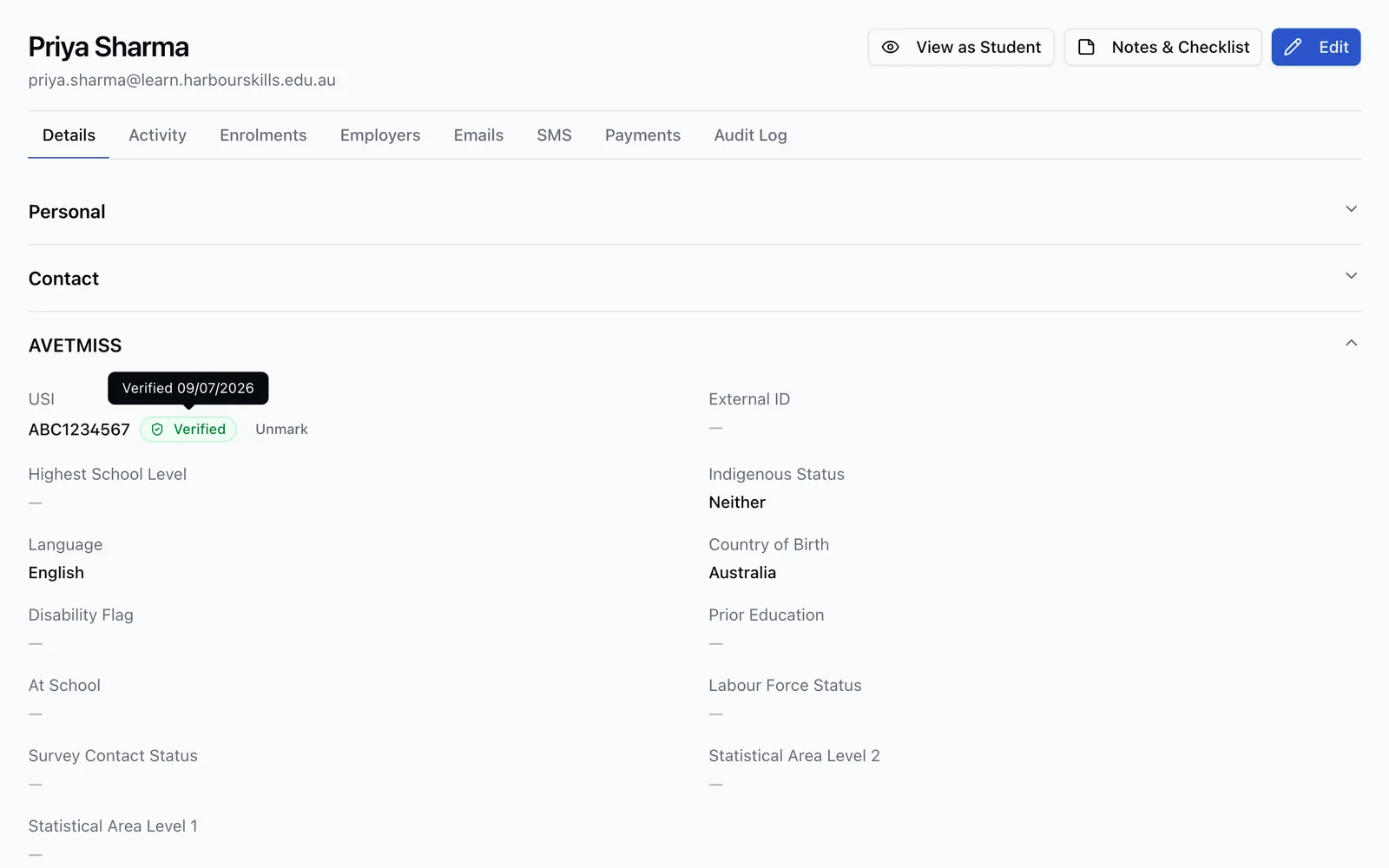
An unverified USI is the fastest way to a rejected AVETMISS submission. Once an RTO completes the setup workflow, RTObase verifies student USIs against the Australian Government USI Registry automatically, no re-keying into the USI portal.
Registry verification available after RTO setup
Verified badge with date on every confirmed student
Each verification recorded in the activity feed for audit
Handles standard and single-name students
Funded VET · Business and Custom
Keep state reporting tied to the training record.
Record funding contracts and jurisdiction details on enrolments and units, check the reporting data and retain the authority’s response against the submitted export.
Queensland ATA preparation
Generate the documented Queensland layout, with checks for funding details, verified USI, delivery information, prior qualifications and LUI where required. Authority validation still happens on upload.
NSW reporting context
Keep Commitment IDs, approval dates and program status with the enrolment. NSW output remains a data extract until the state format is confirmed.
Follow the authority response
Staff upload through the authority’s required process, then record acceptance or rejection and its evidence. Correct the source records before generating the next export.
The funded module must be enabled for your organisation. RTObase does not lodge claims automatically or determine subsidy payment. Other state outputs remain data extracts rather than verified lodgement formats.
Reporting changes ahead
Release 8.0 today. Following VDS and STARS developments.
VET Data Streamlining is moving national reporting toward API-based reporting through NCVER's STARS program. RTObase records enrolments, outcomes and payments in a structured data layer, so you can generate Release 8.0 files for the current collection today, and we're tracking AVETMISS Release 8.1 (which replaces the ANZSCO occupation code with OSCA from the 2027 collection) and VDS specifications as they mature.
Enrolment and outcome records
Release 8.0 NAT files today
Following VDS specifications
Compliance
AVETMISS is one half. Audit readiness is the other.
Clean data for NCVER is the reporting side. For the Standards for RTOs 2025, automated compliance checks, evidence retention, and a complete audit trail, see how RTObase supports audit preparation.
Explore ASQA compliance →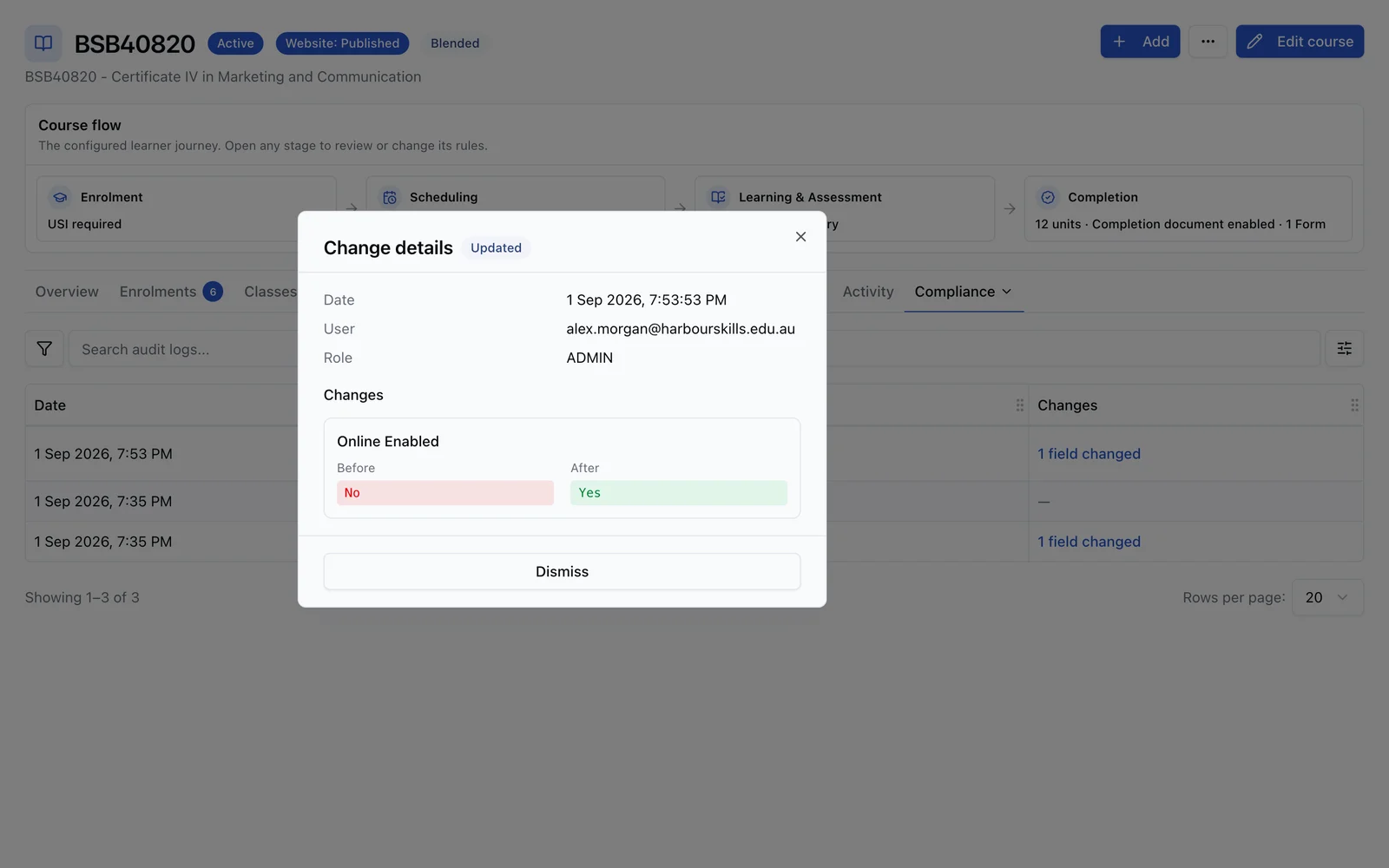
FAQ
AVETMISS questions
Common questions about NAT files, USI verification, and NCVER submission.
RTObase maps your student and enrolment data to the AVETMISS Release 8.0 format automatically. When you're ready to submit, click "Generate NAT files". RTObase validates the data, highlights issues, and produces NAT files for your review and upload to NCVER AVS. No spreadsheet exports, no third-party converter.
Validation runs before any file is generated, so missing USIs, invalid postcodes, impossible dates and incomplete enrolment data are flagged up front against the exact record to fix. And if NCVER's AVS still rejects something after upload, you bring its validation report back into RTObase: a guided wizard maps every AVS error to the exact student and field, deep-links you straight to it, and lets you mark each one off as you go. You fix the source record, not the file, and re-validate without hunting client identifiers in a spreadsheet.
All the files required for a standard AVETMISS Release 8.0 submission, the organisation and delivery-location files, course and subject files, client and address files, disability and prior-education files, and the enrolment and program-completion files. They export together in the NCVER-prescribed format.
Where an RTO has completed USI Registry setup, RTObase can verify student USIs against the Australian Government USI Registry automatically, using the government's machine-to-machine (M2M) credential, the same setup the USI Registry requires. Successful checks are recorded in the student's activity feed. Manual attestation is available when the RTO verifies through the USI portal.
No. RTObase records every enrolment and outcome in AVETMISS-aware fields as it happens, so the NAT files come straight out of your live data. You download the validated files and upload them to NCVER's AVS. There's no intermediate converter, mapping spreadsheet, or re-keying.
VET Data Streamlining is moving national reporting toward API-based reporting through NCVER's STARS program. RTObase generates AVETMISS Release 8.0 files today and keeps enrolment, outcome and payment data in a structured model that is intended to support VDS-era reporting as official specifications mature.
Yes. Business and Custom include funding contracts, jurisdiction fields, reporting checks and authority-response records. Queensland has a documented ATA file layout, including LUI and prior-qualification checks, but still needs authority validation on upload. NSW includes Commitment ID and program-status fields; NSW and the other state outputs remain data extracts rather than verified lodgement formats. Staff upload through the authority’s required process. Fee-for-service NCVER reporting stays included on every plan.
Primary RTObase data is stored in Australian data centres and encrypted at rest and in transit. Selected subprocessors are used for features such as AI, communications, payments and analytics, as described in our Privacy Policy.
Make AVETMISS a non-event
Validated NAT files straight from your live data, USI verification when configured, and evidence kept in the activity trail. Included on every plan.
No credit card required. AVETMISS reporting included on all plans.