
Run your trainer day and keep session records together
Give your trainers a phone-friendly place to take attendance, record delivery and leave the office a useful learner record.
Published 13 Nov 2026 · Vincent Lo
You need a useful training record while the session is still fresh. Your trainer needs somewhere to record it without returning to the office first.
The RTObase trainer app gives your team Today, Calendar and Requests on a phone or tablet. Attendance, delivery records and next steps stay connected to the learner, so you can find them when you follow up.
Start with the trainer's assigned day
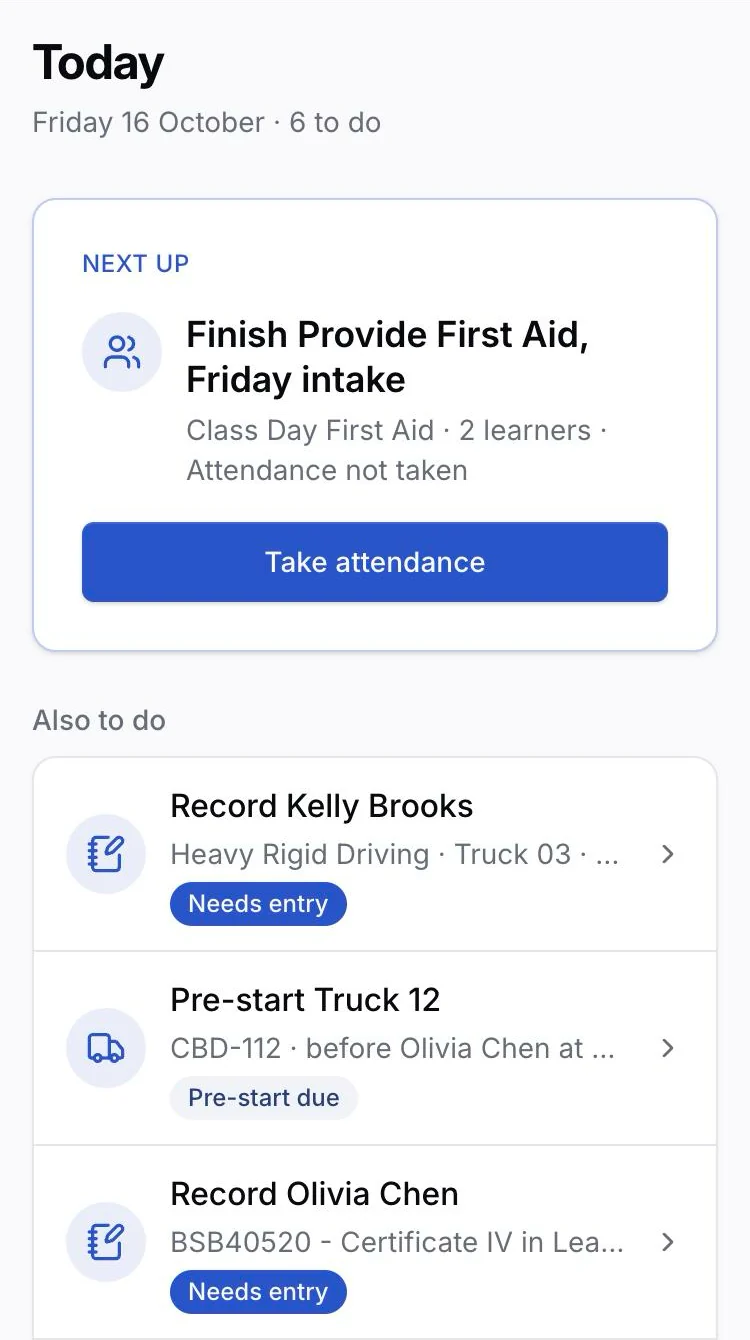
Link the trainer's login to their trainer record and assign them to the relevant class day or booking. The app shows their own work. Office staff with their own trainer record can select My trainer day from their account menu.
Open Today, then the assigned class day or booked session. Use Calendar to check the rest of the week. Set up any course activities and before-session or after-session Forms before delivery so the trainer has the right records to complete.
Take the roll once for a class day
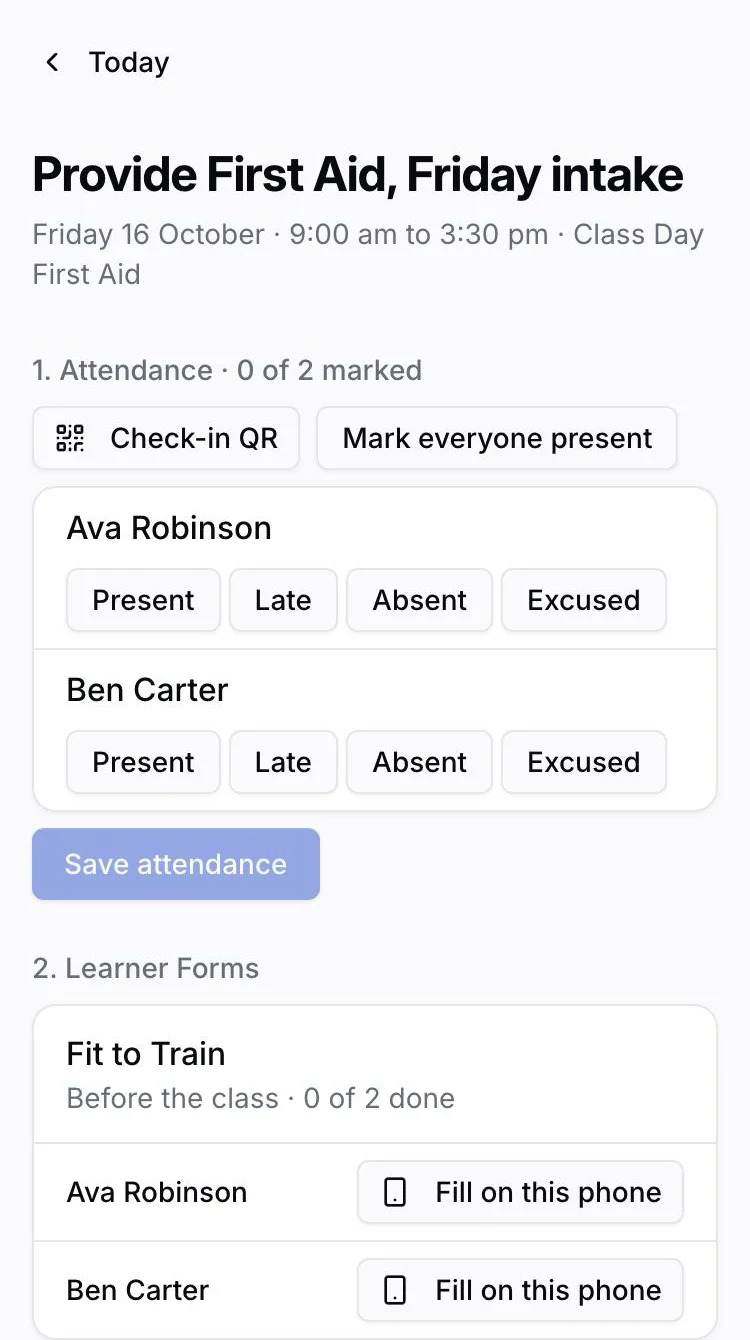
For classroom delivery, open the class day's Attendance section. Select Present, Late, Absent or Excused for each learner, then Save attendance. Mark everyone present fills unmarked learners so you can adjust the exceptions.
Use Check-in QR when learners will check in on their own phones. Course Forms appear on the same day; learners can complete them on their own device or through Fill on this phone.
In this fictional example, Harbour Skills Institute has eight learners attending a class. Your trainer marks seven Present and one Late, saves attendance and checks the before-class Form responses before starting. The example is separate from the synthetic records shown in the product images.
Record what your trainer delivered
On the class day, use Activities you ran to record training covered and practice completed. Attendance supplies who attended training; update the roll if that changes. Practical observations and unit results have their own actions, subject to the trainer's assessment authority.
Add the day's Session notes and select Finish class after saving attendance. Finishing records the trainer's sign-off for the day. Your enrolment completion checks still determine whether a learner can complete.
For individual booked delivery, open the session and work through Prepare, Previous records and Record. Enter what you covered, next steps and the trainer's recommendation, then complete any required sign-off and select Finish session. Earlier records help the next trainer continue from the previous session.
If the learner cannot sign immediately, The learner will sign later keeps the outstanding signature under Waiting on learners. A recommendation such as Ready for assessment is separate from a unit result.
Give the office and employer the right information
Your office can find delivery information with the learner's enrolment. For booked sessions, Note for the office provides a separate place to send something staff need to act on.
Choose Share this entry with the employer when the booked-session notes should be visible to the employer. Make that choice deliberately for the entry you are recording.
For a classroom cohort, focus on the day's roll, activities and Forms. For individual training, focus on the previous entry, what changed today and the learner's next steps. You keep both forms of delivery attached to the training they describe.
Check the record before moving on
Open the learner's enrolment and find the saved attendance or session record. Check the date, trainer and recorded work, then confirm any outstanding signature or Form remains visible for follow-up.
Avoid finishing from an unsaved roll or treating a trainer recommendation as a competency result. Rescheduling, reassignment and payments stay with the office. Your trainer can finish the delivery record, and you have the information needed for the next decision.
For the detailed steps, see Class Delivery and Recording Booked Sessions.
More from the blog
3 Nov 2026 · Product
October at RTObase: trainer app, payment plans and employer training
Run training from a phone, offer payment plans, manage employer training and turn existing course materials into drafts your team can review.
Read →
20 Nov 2026 · Product
Offer payment plans and keep follow-up with the enrolment
Offer eligible learners instalments, review the full schedule and find unpaid parts alongside their enrolment.
Read →
6 Nov 2026 · Product
Watch RTObase in action: our new YouTube video guides
RTObase now has a YouTube channel. Start with a three-minute tour of the whole system, then follow short guides in the order an RTO works.
Read →